


Moving to a document automation tool sounds simple at first. But once you look a little closer, you realize your operations involve more than just replacing printed papers with digital signatures.
Because organizations differ in their services and operations, tools for document workflows are created to suit their specific processes.
PandaDoc and Ironclad are two widely used document platforms, but they’re built for different types of workflows. Their differences go beyond branding or dashboard design. They show up in how each tool handles document creation, approvals, and contract management.
In this guide, you’ll learn:
- What PandaDoc and Ironclad are built for and where each one fits
- The real differences in how they handle documents, approvals, and contracts
- Where each tool starts to fall short depending on your workflow
- The gap most teams don’t realize exists until they’re already using the wrong tool
- How to decide what makes sense for your business right now, without overcomplicating it
PandaDoc Vs Ironclad: the basic difference
Pandadoc is for processes with shorter life-cycles. If you need to quickly create and send a document for signing. The panda’s your guy.
But if you need a tool to manage complex contract lifecycle processes, through negotiation, legal review and long-term compliance, that’s a problem for Ironclad.
Get rid of manual repetitive paperwork with robust document automation
LEARN MORE
There’s no debate on which is better. Both tools were built with different problems in mind, and they do what they can to solve them. What’s worth knowing is that there are tools that don’t force you to pick a side.
Most comparisons stop at choosing between tools like PandaDoc and Ironclad. But for a lot of teams, that’s not where the decision ends.
A third option
There’s a third category that rarely gets talked about. Tools built for the everyday workflows that sit between quick signatures and full contract lifecycle management. The kind of workflows HR, operations, and growing teams deal with daily.
That’s where platforms like DoxFlowy come in. It’s an option for teams that don’t need enterprise-level contract management, and can’t afford to stay stuck with basic document sending.
DoxFlowy handles the entire document workflow from intake to signature and storage without the enterprise price tag or the steep learning curve.
Now, for a deeper dive into Pandadoc and Ironclad.
Pandadoc – Built for speed
Pandadoc is a document automation tool focused on proposals, quotes, and contracts. It’s built for speed. Templates, drag-and-drop editing, and a content library mean you’re not starting from scratch every time. The perfect fit for sales environments where there are a lot of proposals and quotes being sent out.
Core features
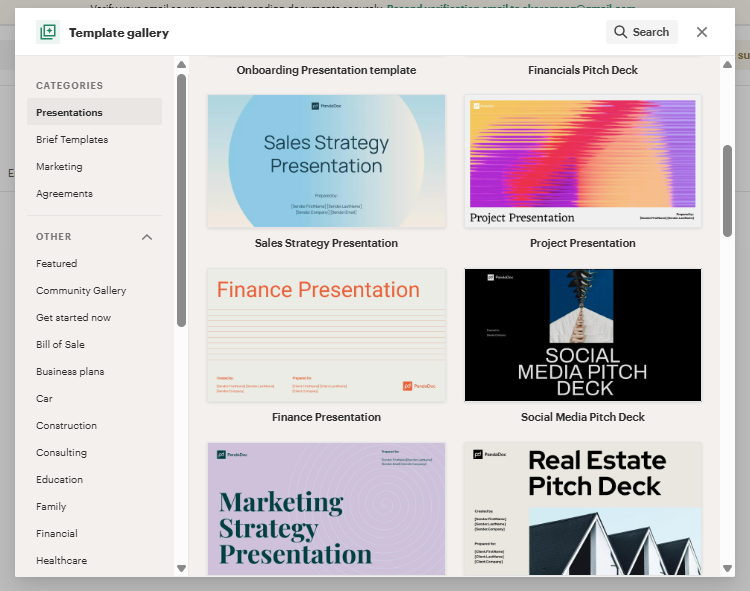
PandaDoc gives you many ways to stop building documents from scratch.
It has a drag-and-drop builder, pre-designed templates for proposals, quotes, agreements, and a content library to save items you use regularly (terms, disclaimers, branding).
You can also upload pricing tables, videos, and images into your documents. You also get to add variable fields that can pull data from your CRM or a form. This way, you’re not manually typing the same information into every document.
Signatures work the way you’d expect them to in 2026.
Every signature collected through PandaDoc is legally binding. It complies with ESIGN and eIDAS, the main regulations that govern electronic signatures in the US and Europe.
Signers get a direct link to the document and don’t need an account to complete it. It works on mobile too, so nothing stalls because someone is away from their desk.
Once a document is signed, a certificate of completion is generated. Who signed, when they signed, and where they signed from is all logged. That’s your audit trail, handled without any extra steps.
All paid plans also come with unlimited document sends. That might sound like a small thing, but a lot of tools in this space charge per document or provide a limited number of sends per month. Over time, that adds up.
Once a document is out, PandaDoc handles the follow-up so you don’t have to.
Approval workflows move documents through the right people before anything gets sent. Automated reminders nudge signers when something is sitting untouched, and conditional logic adjusts what people see based on their role or responses.
Smart content blocks pull product information, pricing, and contact data automatically, no manual entry. Bulk send lets you deliver the same document to a large group using one pre-filled template.
PandaDoc has a large integration ecosystem.
It syncs with customer relationship management (CRM) tools like Salesforce, HubSpot, Pipedrive, and Zoho. That means contact details, deal information, and product data flow directly into your documents, no copy-pasting.
Payment tools like Stripe and PayPal are also supported, so clients can pay immediately after signing without leaving the document.
Templates can also be set up to auto-fill from any connected tool, making it easier to repeat business processes stress-free.
PandaDoc’s collaboration doesn’t cover a lot, but it does what most teams need.
You can leave comments, track version history, approved documents internally, and edit with your team. No clause-level risk analysis or anything that goes too deep into legal territory is provided, but it’s enough for standard document cycles.
Document and customer insights at your fingertips
LEARN MORE
Tools like DoxFlowy cover the contract automation gap for teams that need more than basic collaboration without going full CLM.
PandaDoc shows you what happens after you hit send.
An audit trail is available to capture how people interact with the document. It shows who opened it, when, and how long they spent on each section.
Users get real-time notifications that flag the moment someone signs or comments. Revenue tracking is also included to monitor how the deal progresses, close times, and which pricing strategies are actually converting.
Ironclad – Built for contracts
Ironclad is a Contract Lifecycle Management (CLM) platform. That’s a different category from document creation. The focus shifts to managing contracts across their entire lifespan, from drafting through negotiation to storage and renewal.
Core features
Build contracts from pre-approved templates and automate them.
Conditional workflows, automated reminders, and task assignments can all be configured with a drag-and-drop tool, and no technical skill is needed. Once a contract is in motion, it moves through the right departments and approval stages on its own.
Nobody has to manually follow up or push it forward, leading to less waiting, less chasing, and a faster close.
Collaboration happens inside the platform.
Multiple users can edit, suggest changes, and negotiate clauses at the same time. Version control and audit trails track every change as it happens, so nothing gets lost across email threads or conflicting document versions.
The AI handles the heavier lifting.
It reviews contracts, suggests redlines, and tags data automatically, which cuts down the time spent combing through agreements manually.
All finalized contracts live in one searchable repository, so finding what you need doesn’t become its own project. E-signatures are built in, too, so the whole process stays inside the platform from start to finish.
Analytics and reporting to track performance.
Over time, data shows you patterns you wouldn’t catch otherwise. It’s the difference between managing contracts as they come and understanding how your contract process is working.
Pandadoc vs Ironclad: key differences and complications.
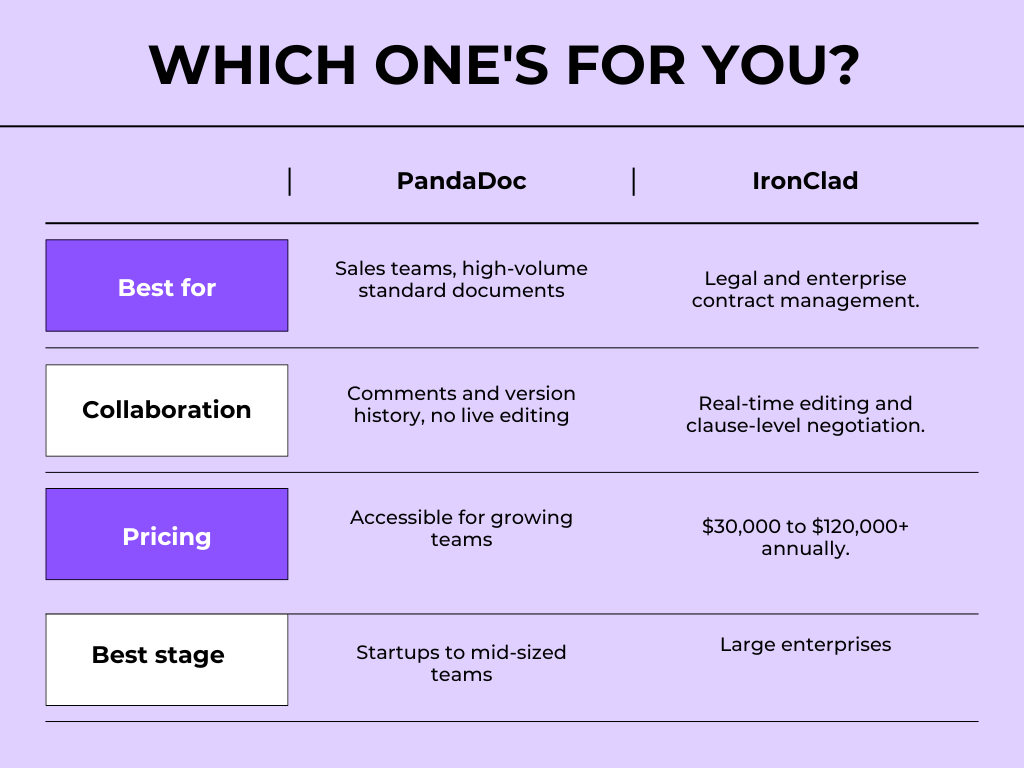
PandaDoc is excellent at the pre-signature phase. Once you move into negotiation territory (back-and-forth redlining, clause-level edits, and legal review), things start to feel clunky. Documents are sent as static files, so if something needs to change mid-process, you’re often starting over from scratch.
There’s no live collaboration. Comments and version history fill that gap, but they’re not the same as real-time editing. For sales reps closing standard deals, that’s fine. For legal or procurement teams working through complex agreements, it becomes a real problem.
Additionally, new users also tend to hit a learning curve earlier than expected. Basic things like setting up your own signature are tucked away in profile settings instead of showing up during onboarding. It’s a capable tool, but it takes a while before it feels that way.
Based on reviews, Ironclad has a few real weaknesses worth knowing about. The repository search works well, but only if contracts were tagged correctly during upload.
If they weren’t, finding anything later feels like a scavenger hunt. Users who migrated from other platforms also reported messy imports, with drafts and final contracts mixed together.
(insert ironclad search repository)
Take advantage of AI-powered document drafting to move 4X faster
LEARN MORE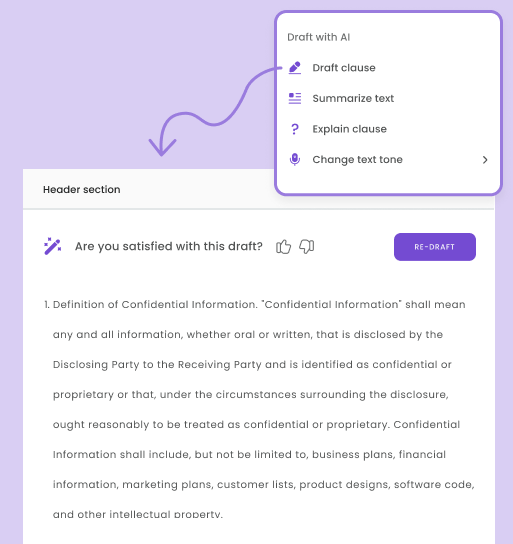
Messy data and hard-to-find contracts have a real cost. If you’re not familiar with contract value leakage, it’s worth reading up on before committing to any contract tool.
There’s a flexibility problem. Once you set up a workflow and launch it, you can’t make changes halfway through. You have to cancel the whole thing and start over. For a tool built around complex contracts that often change during negotiation, that’s a big limitation.
The price tag also puts it out of reach for most small and some mid-sized teams. Ironclad typically costs between $30,000 and $120,000 a year. It’s built for larger enterprises, and the pricing reflects that.
The gap worth noticing
Most companies don’t need a full CLM platform. And most companies need more than just e-signatures.
What a lot of operations and HR teams need is something in between: a tool that can generate multiple documents from a single intake form, route them correctly, and integrate signatures, without the enterprise overhead or the learning curve.
That’s the gap that tools like DoxFlowy are built for. The everyday operational workflows that HR teams, operations managers, and growing businesses live in. It’s worth knowing that the option exists before you overbuy or underbuy.
So which one?
If you’re evaluating these two tools, the decision is simpler than it looks.
Choose PandaDoc if: your core need is creating and sending high-volume, standardized proposals, offer letters, and quotes. They’re great if your team is sales or operations-focused and the documents are mostly standard company paper.
Choose Ironclad if: you’re managing contract negotiations, need AI-assisted legal review, and have the budget and organizational maturity for a CLM platform.
Explore other options (like Doxflowy) if: you’re somewhere in between, a growing team that needs workflow automation without enterprise pricing, or you’re processing documents across HR, operations, and client workflows at once.
The right tool is usually the one that solves the actual problem your team has right now.
Ask yourself that question first. The comparison gets a lot easier after.
If you’re trying to fix document chaos without jumping into enterprise software, see how DoxFlowy handles everyday workflows. Register here.


