



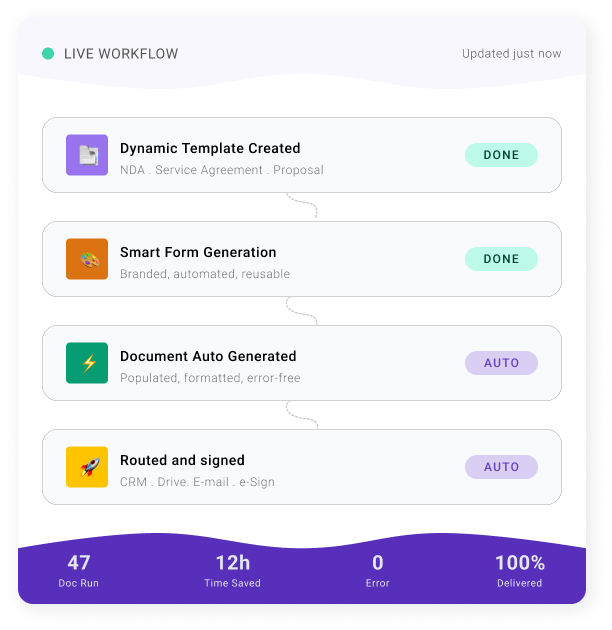
Turn Your Documents Into a System That Never Misses a Step

Set the rules once. Every document generates, signs, and files itself exactly the way you decided.

1–2 hrs saved per user, per day
ESIGN Act & eIDAS Compliant
1 FTE reclaimed per 5 users

As Seen In

THE PROBLEM

Let's talk about what the average day looks like

A client needs a contract. So you open an old one, copy it, change the names, fix the dates, update the terms, double-check the formatting, and hope you didn’t miss anything. That takes 20 minutes. Maybe 30 if it’s complex.

Then you send it for signing. You follow up once. Then again. Then a third time, because it somehow ended up in someone’s spam folder.

Now multiply that by every contract, proposal, agreement, and form your business needs to function.

If you’re a solo operator, that’s 1-2 hours of your day gone. Every day. On documents you’ve probably already created a dozen times before.

If you have a team, multiply it. Five people handling documents means 5-10 hours of collective time burned daily on work that should take minutes.

And the worst part? 

Every time a human manually edits a document, there’s a chance something goes wrong. 

A wrong name. 

An outdated clause. 

A missing signature field. 

A stray clause. 

One small mistake on a contract can cost you a client, a deal, or worse.

Research consistently shows that manual data entry carries an average error rate of about 1%. That might sound small until you do the math. 

If your team processes 500 document fields a week, that’s 5 errors. Every week. Exposed to no verification, that rate climbs to 4%. 

Automated systems, on the other hand, cut errors by up to 100x.

This isn’t a minor inconvenience. It’s a leak in your business that gets bigger every month you ignore it.

THE MATH

Here's what documents are costing you

The average employee handling documents spends 1-2 hours a day creating, editing, formatting, sending, and following up on paperwork. 

Let’s be conservative and call it 1 hour.

5 hrs

per week, per person

20 hrs

per month, per person

240 hrs

per year, per person

$125 lost

per week, per person

$500 lost

per month, per person

$6,000 lost

per year, per person

Team of 5 = $30,000 lost/year

QUALITY ASSURANCE PRINCIPLE

Here’s what most people don’t realize about document errors: there’s a principle in quality assurance called the 1-10-100 rule.

The 1-10-100 rule

$1

For every dollar it costs to prevent an error at the point of entry

$10

It costs 10x more to catch and correct it later

$100

It costs 100x more to fix the damage after it’s reached a client / partner / regulator

That one wrong clause or mistyped figure doesn’t just cost you the time to fix it. It costs you trust, rework, and in some cases, the entire deal.

Now ask yourself: what if you could cut that time by up to 80% and eliminate the errors entirely?


That 1 hour a day becomes 12 minutes. That $6,000 becomes $1,200. That team of 5 goes from burning 25 hours a week on documents to 5. 

And the cost of catching mistakes, fixing them, and cleaning up the fallout? Gone.

“I personally save 10-15 hours a week on the data entry alone. It is so useful to us that I think my people would rebel if you tried to take it from them.”

- James Worthy

Verified DoxFlowy User

15 hours

saved/week

★★★★★

"Great esignature app. Thank you so much. 10/10 stars. Love it!!!"

Mrs. Butterfly Paruparo · Trustpilot

★★★★★

"Awesome! This worked great for signing documents."

Teresa Barber · Trustpilot

★★★★★

"Very easy and comfortable to use, straight forward."

Imtiaz Hossen Siyam · Trustpilot

★★★★★

"It really helped me doing my job easier and sending my letters."

Gita · Trustpilot

THE SOLUTION

The system that replaces
the entire manual process

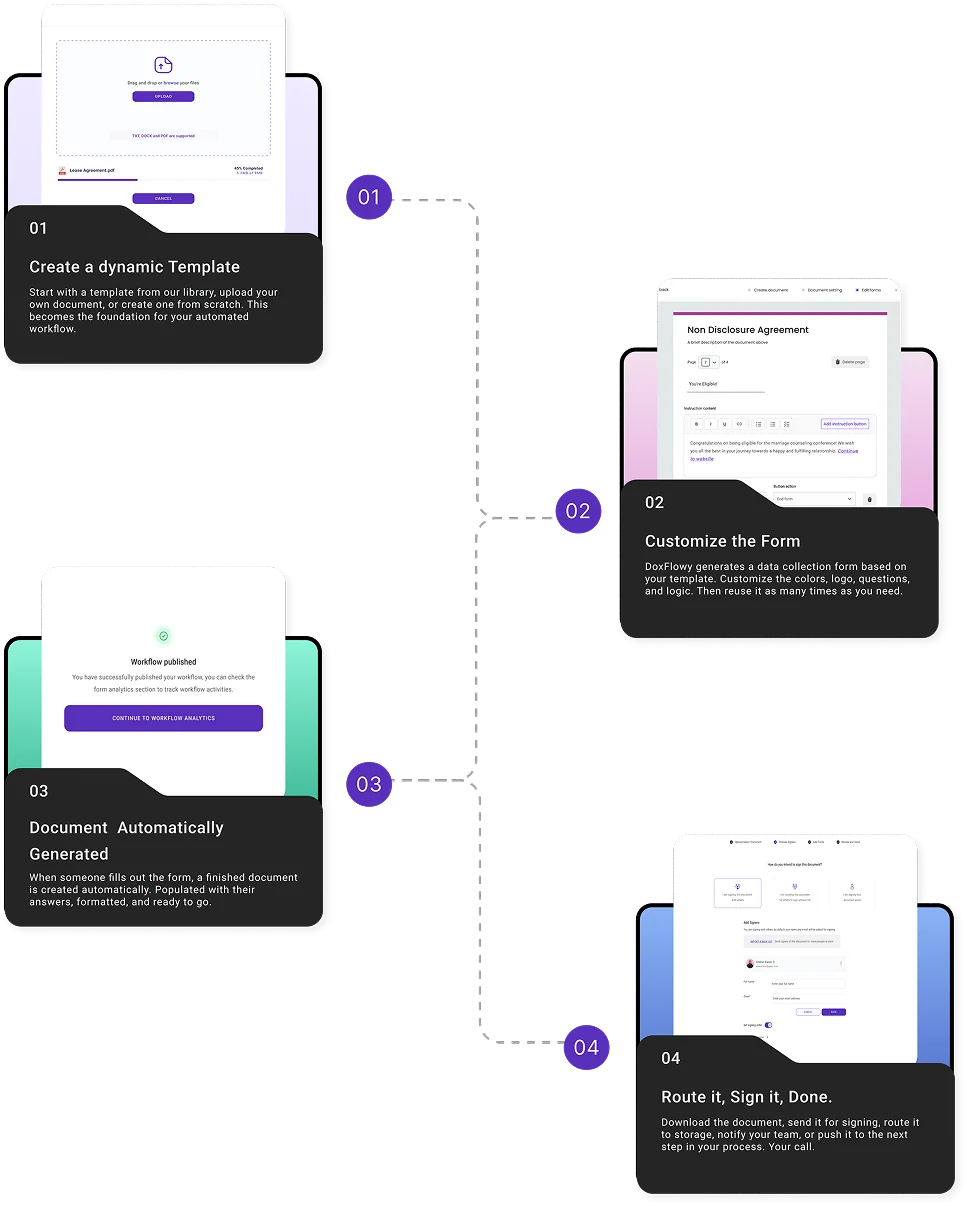
You build a document template once. DoxFlowy generates a smart form around it. When someone fills out that form, a finished document is created automatically. 

No copying from old files. No manual edits. No formatting fixes.

From there, the document can go wherever it needs to go. Signed with built-in e-signatures, routed to your CRM or Google Drive, or pushed into the next step of your process.

You choose what happens and when.

The person filling out the form doesn’t need a DoxFlowy account. They don’t need training. They answer questions, and the system does the rest.

You set it up once. It runs without you.

You just read how it works. Now do it yourself. Below is a live, working DoxFlowy workflow — the real product, not a recording. Fill out the form on the left and watch the NDA on the right rewrite itself as you change your answers. Clauses appear, disappear, and adapt automatically. This is the mechanism you just read about, running live.

ONE TEMPLATE. EIGHT OUTCOMES

See It Work. Right Here, Right Now.

Below is a live, working DoxFlowy workflow. Fill it out. Change the answers. Download the finished NDA. This is the actual mechanism. It's not a recording, no mockup, no walkthrough video.

Northwind & Co.
Strategy & advisory partners
Sample workflow Mutual / One-Way NDA · Live Demo
Interactive demo
See it in action

One template. Every variation.

Fill out the form. Watch the document on the right rewrite itself as you change the recipient role and NDA direction. Clauses appear, disappear, and adapt — automatically.

Page 01

NDA Request Form

6 questions · ~90 seconds
Conditional logic active — clauses adapt to your answers in real time 8 clauses
1

Parties

Q1 Your company name*
Q2 Recipient's full name*
2

Relationship & scope

Q3 Recipient role*
This determines which protection clauses apply — IP, work product, non-circumvention, and more.
Contractor Freelancer or agency
Employee Full / part-time hire
Vendor Supplier or service provider
Investor VC, angel, or strategic
Q4 NDA direction*
Mutual Both parties share confidential info
One-way Only the recipient receives info
Q5 Confidentiality term*
Q6 Governing jurisdiction*
All changes update the document instantly
Non-Disclosure Agreement
Contractor · One-way · 2-year term
Up to date

Your NDA is ready

In production, this is also routed to your recipient for e-signature, tracked, and archived — all from one DoxFlowy template.

HOW IT WORKS

Four steps. One workflow. Documents that handle themselves from start to finish.

From start to Finish DoxFlowy eliminates manual touchpoints
in your document process

YOUR AUTOMATION BLUEPRINT

Map Your Workflow in 2 Minutes

You’ve seen how it works. Now, pick your use case, add your documents, and define your signing flow. The builder below creates a visual blueprint showing exactly how your process would run as an automated workflow. Step by step.

Document Workflow Builder

Map out your document automation workflow in minutes. See exactly how it would work — automated.

📋

Your use case

What kind of workflow are you looking to automate?

📄

Documents in this workflow

We've suggested documents based on your use case. Add, remove, or rename as needed.

🔧

Data collection & conditions

What information feeds into these documents, and are any documents conditional?

NoAll documents generate every time
YesSome documents are conditional
✍️

Signing & approvals

Configure which documents need signatures, who signs, and in what order.

SequentialDocuments signed in a specific order
ParallelAll documents can be signed at once
MixedSome sequential, some parallel
No signaturesNone of these documents need signing
NoDocuments go straight to signing
Yes — one reviewerOne person reviews before signing
Yes — multipleSeveral people review before signing

Your Automation Blueprint

Your automated workflow

Here's how your documents flow through DoxFlowy — from data collection to signed and stored.

Without automation vs. with DoxFlowy

Ready to build this workflow?

Start your free trial →

Have 15+ users? We'll set up this workflow for you.

Book a setup call →

START TRIAL

Ready to see it in action?

Start your free trial and build your first automated document workflow today.

No-Code Setup | No Hidden Fees | Cancel Anytime

DOCUMENT AUTOMATION MADE SIMPLE

From Template to Signed, Without the Effort

Build, customize, generate, and sign any document workflow all in one platform. No code. Multiple documents. No manual edits. No errors. 

No Code. No Developer.
No Problem.

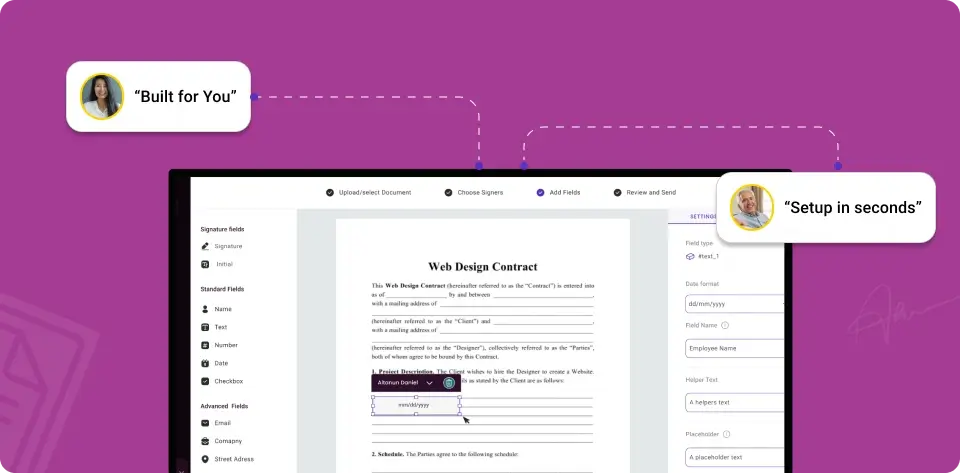
You don’t need a technical background to automate your documents. DoxFlowy is built on a point-and-click interface that lets you create simple or complex workflows without writing a single line of code. Drag fields where you need them, set your logic, and you’re done.

Hand it off to anyone on your team and they’ll be able to use it the same day. No training manuals. No IT tickets. No waiting on a developer to make a small change.

Build any workflow without code
Customize templates with drag-and-drop simplicity
Connect to your existing tools in a few clicks

Don’t Start From
Scratch. Use Templates.

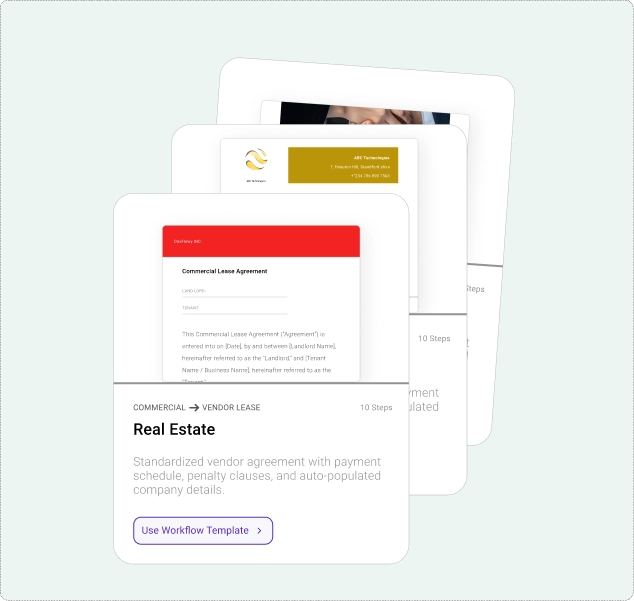
Every document you build from a blank page is time you could’ve saved. DoxFlowy provides a growing library of vetted templates for the documents businesses use most. Contracts, NDAs, offer letters, proposals, and more.

Or upload your own document and let DoxFlowy do the rest. Either way, one dynamic template can power an unlimited number of finished documents without you rebuilding anything.

Vetted and ready to customize on day 1
New templates added regularly based on user needs
Upload your own PDF, Word, or text file instead

Error-Free Documents. 
Every Single Time

DoxFlowy eliminates errors by removing humans from the editing process. After creation, your template is locked for editing by others. 

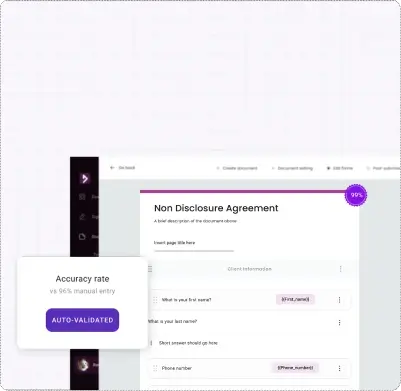
Based on the answers collected, the system decides which sections to include or exclude. Full-time employee? The non-compete clause appears. Contractor? It doesn’t. Different region? The payment terms adjust automatically.

No one manually edits the document each time. No one introduces errors. Every document that comes out is accurate, consistent, and tailored to the situation.

Templates stay locked to prevent unauthorized changes
Documents adapt automatically based on form responses
No manual intervention means no manual errors

One Form. Multiple Documents. All at Once.

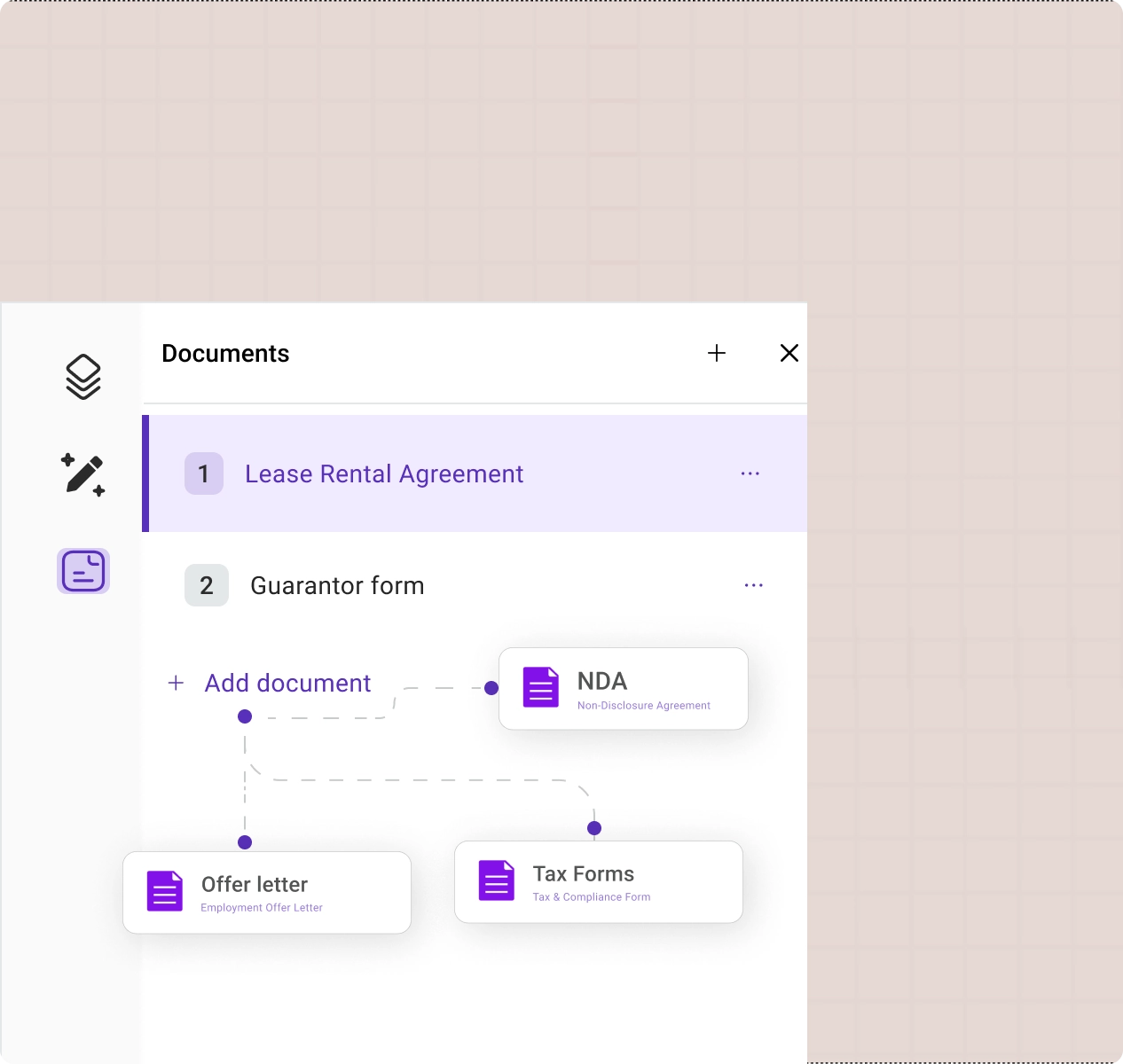
Some workflows need more than one document. A new employee might need an offer letter, NDA, tax form, and benefits enrollment. A real estate transaction might need a purchase agreement, disclosures, and closing documents.

With most tools, that means filling out multiple forms or manually creating each document separately. With DoxFlowy, one questionnaire generates all of them in a single pass. Each document is populated, formatted, and ready for individual signing or download.

No limit on documents generated per form
Download individually or as a zip file
Each document gets its own compliant signing workflow

Need It Signed?
Two Way, Both Built In.

Most tools make you pick: a document builder that can't sign, or a signing tool that can't build. DoxFlowy does both, two different ways, depending on what you need.

Inside a workflow. When a document is generated from a form, it's sent for signing automatically based on rules you set once. Template to form to finished document to signed agreement, with nothing from you in between.

Already have a finished document? Upload it and send it for signing as a standalone agreement. No workflow, no template, no setup. Just send and track.

Either way, it's one platform. No re-uploading between tools. No chasing signatures across inboxes. When it's signed, it's stored.

SAVING TIME. SCALING IMPACT

Here's what our users say when the paperwork
finally stops slowing them down.

From start to Finish DoxFlowy eliminates the manual touchpoints in your document process

From our customers

DoxFlowy is trusted by teams who can't afford errors

DoxFlowy almost immediately made life much easier for us. Contract automation and streamlined workflows have saved us countless hours and cut down the likelihood of errors to the bare minimum. 

When we got started, the DoxFlowy team went in and set up our first workflow for us so we quickly saw the power of the tool. Their professionalism and responsiveness helped us automate our documents quickly and without hassle.”

- Robert Alex

Verified DoxFlowy User

ONE PLATFORM. ZERO GAPS.

One Platform. A Complete System.
Every Feature You Need.

Document Creation


Upload PDF, Word, and Text Files

Bring your existing documents into DoxFlowy and turn them into automated templates. No need to recreate anything from scratch. Your current library becomes your starting point.

Built-in Document Editor

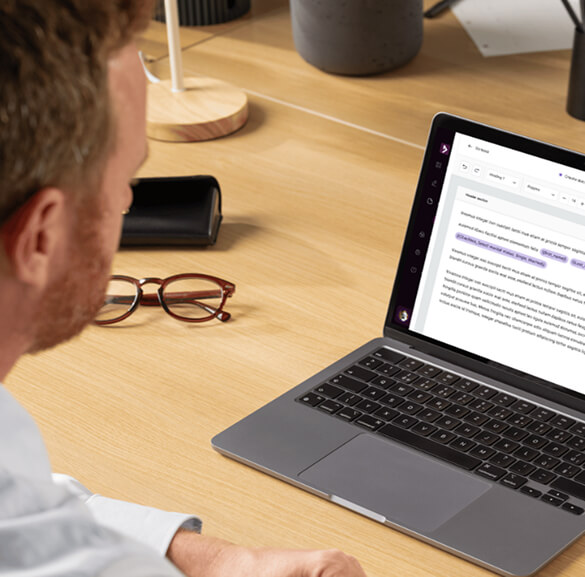
Create and edit documents directly inside DoxFlowy. Full support for tables, images, special characters, and a wide range of fonts.

Welcome & Thank You Screens

Set the tone before the first question and leave a professional impression after the last one. Fully customizable.

Document Image Support

Add logos, photos, and other images directly into your document templates. They carry through to every generated document.

Branded Forms

Customize your data collection forms with your logo, brand colors, and styling. Your clients see your brand, not ours.

AI Drafting

Let AI help you build your document templates faster. Generate a first draft, then refine it to match your exact needs.

Automation & Logic


Conditional Form Logic

Show or hide questions based on previous answers. Your forms stay short and relevant for every respondent, no matter how complex the workflow behind them.

Conditional Document Logic

Automatically include or exclude sections, clauses, or entire documents from the workflow based on form responses. Every document is tailored without manual editing.

Document Routing and Integrations

Push completed documents to your CRM, Google Drive, or other tools through integrations. Notify the right people automatically.

Document Review

Review form responses before the document goes on for signing or is pushed to your integrations. Spot mistakes early and send the questionnaire back with instructions on what needs fixing.

Document Settings

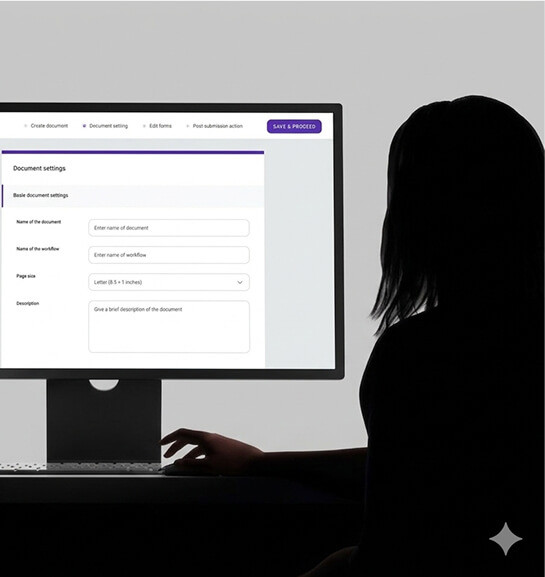
Control how your documents are delivered. Choose PDF or Word format, decide whether respondents can download their generated document, manage consent, create naming conventions, and more.

Team & Organization


Team Permissions & Roles

Invite your team, assign roles, and control who can create, edit, or manage workflows. Everyone gets the access they need and nothing they don’t.

Folder Management

Organize documents and workflows into folders. Set permissions so the right people can access the right files.

Tag Manager

Create custom tags once and use them across every workflow. Add descriptions, track which documents use each tag, and keep your system organized as it grows.

Tags Table of Contents

View every tag in a document at a glance. Click any tag to jump to its location instantly. Essential for complex templates with dozens of fields.

Reporting & Analytics

Track document activity, form completion rates, and workflow performance. See what’s working and where things are slowing down.

Version History

DoxFlowy automatically saves up to 10 versions of your workflows. Save additional versions manually anytime. Restore any previous version with one click.

Electronic Signature


Built-in E-Signatures

Full e-signature capabilities are built right into DoxFlowy. Sign quickly, easily, and know that every document is compliant with the laws of the land. 

Audit Trail

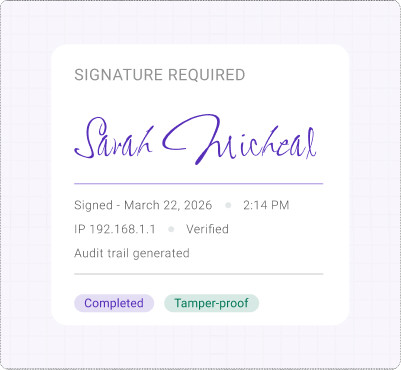
Every signature is backed by a tamper-proof audit trail. Know exactly who signed, when they signed, and from where.

Signing Order and Tracking

Decide who signs and in what order. Track progress in real time so you always know where a document stands.

Signing Without an Account

Your signers don’t need to create an account. They get an email, click a link, and sign. No friction.

Guided Signing

Walk signers through every required field before they finish. No more incomplete signatures or missed fields.

Signing Templates

Save reusable signing configurations with preset signer roles, field placements, and signing order. Apply them across multiple documents.

Signing Reminders

Send manual or automated follow-up reminders to signers who haven’t completed their signatures. Stay on top of outstanding documents without leaving the platform.

Custom Email Notifications

Customize the signing request emails your recipients receive. Make them look like they’re coming from you, not from a generic software platform.

Multiple Signature Styles

Let signers choose how they sign. Allow them to type, draw, or upload their signature.

After Signing


cancel signing

Cancel Signing

Need to pull a document back for whatever reason? Cancel an entire signing request at any point before completion with a click.

Custom Redirects 

Send signers to a specific page after they complete their signature. A thank you page, a next step, or wherever your process needs them to go.

Signing Security

Add extra layers of protection to your signing workflows across multiple dimensions. Include 2FA to ensure the right person is signing every time.

You Now Know Exactly What DoxFlowy Does
Next, See How Much It Can Save You

docs/mo
hours
$
Your estimated annual savings
⏱️
960
Hours saved per year
💰
$28,800
Money saved per year
👤
0.5
Full-time employees you could reassign

Note: This is a rough estimate based on average numbers across all industries and company sizes. You can get a more accurate understanding of how much you can save and other outcomes by using our in-depth calculator here.

Built for Teams That Take Security and Compliance Seriously

Your documents are protected by enterprise-grade encryption, and every signature comes with a tamper-proof audit trail. DoxFlowy is compliant with PCI DSS, GDPR, ESIGN ACT, and eIDAS so your documents hold up wherever your business operates. No hidden fees. No surprise downtime. No per-document charges. No surprise renewals.

DoxFlowy Security

DoxFlowy Fits Into The Tools You Already Use

Organizations of all sizes are barely controlled chaos. DoxFlowy integrates with your CRM, cloud storage, and communication tools so data flows where it needs to go automatically. No more manually updating records or chasing down information across platforms.

Still Doing It the Hard Way?

Every day without automation is another day of lost hours, avoidable errors, and unnecessary costs. Start your free trial and build your first workflow today.

No-Code Setup | No Hidden Fees | Cancel Anytime

Your Industry.
Your Documents. Automated.

No matter your industry, your team size, or your document volume. DoxFlowy provides a system that molds to your documents, your process, and your workflow. Not the other way around.

Solo/freelance
teams
Consultants/agency
real estate
legal
hr & people
financial services
staffing
Accounting
operations

SOLO/FREELANCER

You Didn’t Go Solo
to Do More Admin

You went independent for the freedom, the flexibility, and the control. Not to spend your evenings recreating contracts and chasing signatures. DoxFlowy gives you a system that handles the paperwork so you can get back to the reason you started.

WHAT YOU'D AUTOMATE & MANAGE

CONTRACTS

PROPOSALS

NDAs

INVOICES

WORK SCOPE

GROWING TEAMS

Scale Without

The Growing Pains.

More people means more documents, more versions, and more chances for things to fall through the cracks. DoxFlowy keeps everything consistent and organized, no matter how fast you’re growing.

WHAT YOU’D AUTOMATE & MANAGE

AUDIT TRAIL

FOLDERS

VERSIONING

ROLES & PERMISSION

PROCUREMENT

CONSULTANT AND AGENCIES

Impress Clients
Before Work Even Starts.

Your proposals, engagement letters, and contracts are the first impression of how you operate. Automate them and deliver a polished, professional experience every time.

WHAT YOU’D AUTOMATE & MANAGE

PROPOSALS

MSAs

NDAs

ENGAGEMENT LETTER

WORK STATEMENTS

REAL ESTATE

Paperwork Shouldn't 
Slow Down a Deal

A single transaction can involve a stack of documents. Lease agreements, purchase contracts, disclosures, closing docs. Generate them all from one form, each one accurate, formatted, and ready for signing before the deal goes cold.

WHAT YOU’D AUTOMATE & MANAGE

DISCLOSURES

ADDENDA

LEASES

CLOSING DOCS

PURCHASE CONTRACT

LEGAL

Spend Time On Cases
Not Paperwork

Automate client intake forms, engagement letters, NDAs, and standard agreements. Conditional logic ensures every document reflects the right terms for the right situation.

WHAT YOU’D AUTOMATE & MANAGE

RETAINERS

CONTRACTS

LEASES

ENGAGEMENT LETTER

CLIENT INTAKE

HR & PEOPLE OPS

Onboard In MInutes
Not Days

A single new hire can mean a dozen documents. Offer letters, NDAs, tax forms, benefits enrollment, and more. One DoxFlowy form generates everything they need in a single pass. No chasing signatures across five different platforms.

WHAT YOU’D AUTOMATE & MANAGE

CONTRACTS

HANDBOOKS

NDAs

OFFER LETTER

BENEFITS DOCS

FINANCIAL SERVICES

Sensitive Documents. 
Handled In Minutes

Tax forms, loan paperwork, contracts, and compliance documents are created and delivered without the manual back-and-forth. Your data stays secure, your processes stay compliant, and your clients stop waiting.

WHAT YOU’D AUTOMATE & MANAGE

KYC DOCS

CONSENT

STATEMENTS

LOAN AGREEMENTS

COMPLIANCE DOCS

STAFFING & RECRUITMENT

Place Candidates Faster 
With Less Paperwork

Automate offer letters, contractor agreements, onboarding packets, and compliance documents. When you’re placing dozens of candidates a month, every hour you save on documents is an hour you can spend finding the next hire.

DOCUMENTS YOU’D AUTOMATE

CONTRACTS

NDAs

OFFER LETTERS

ONBOARDING PACKS

ACCOUNTING & BOOKKEEPING

Automate The Documents
You Send Every Month

Engagement letters, service agreements, and recurring client documents shouldn’t be rebuilt every time. Set up the template once and let DoxFlowy handle the rest, month after month.

WHAT YOU’D AUTOMATE & MANAGE

RETAINERS

INVOICES

TAX FORMS

MONTHLY REPORTS

AGREEMENTS

OPERATIONS TEAMS

Turn a Complex Process
Into a Simple One.

Every approval, onboarding packet, vendor agreement, and compliance form that passes through your team is a process waiting to be standardized. DoxFlowy turns your most repetitive document workflows into automated pipelines. They're consistent every time, with no manual assembly required.

WHAT YOU’D AUTOMATE & MANAGE

ONBOARDING

REQUESTS

WORK ORDER

VENDOR DOCS

INTERNAL SOPs

What You’re Doing Now
VS. What You Could Be Doing

Right now, every document runs through the same broken process. Here's what that is costing you. And what replaces it.

The way it works right now

01

Every document starts by finding and editing an old one

20–30 min wasted every single time


02

Then comes the manual editing

3 different tools for one document


03

Then the waiting starts

Hours lost. Every week.


1x

Build the template once

Takes seconds to initiate


4x

faster to prepare a document

one tool, no switching costs


0x

No waiting required, move on wih your day

One platform. End to end.

The way it works right now


01

Every document starts the same way

Dig through old files for something close enough. Copy it. Hope it's the right version.

You're not starting from scratch — you're starting from someone else's last attempt. Then you change the names, fix the dates, update the terms, and pray you didn't miss anything buried on page four.

20–30 min wasted every single time


02

Then comes the manual editing

Update the names. Fix the dates. Change the terms. Format it. Export it.

And after all that, send it off in a completely separate tool for signing. Because the tool you built the document in doesn't support signing. And the signing tool doesn't store it anywhere useful.

3 different tools for one document


03

Then the waiting starts

Someone doesn't sign. You follow up. Manually. Then again. Then again.

When it finally comes back, you save it somewhere you'll hopefully remember. A shared drive. Your email. A desktop folder called "Contracts Final FINAL v2." That's the system.

Hours lost. Every week.


1x

Build the template once

You build the template once.

A form collects the data. The document generates itself.

Right names, right terms, right clauses — automatically. No manual edits. No copy-paste. No version confusion. No formatting fixes. The document is exactly right before it's ever sent.

Zero manual editing


5x

Documents from one form

Need five documents instead of one?

Same form. All five generated simultaneously.

Each one formatted, named, and ready — individually or as a zip. Each can have its own signing workflow. One form submission does what used to take hours across multiple tools.

No limit on documents per form


0x

Tool-switching required

It's sent for signing the moment it's generated.

From the same platform. Reminders are automatic.

No switching tools. No re-uploading. No chasing. When it's signed, it's stored automatically. Documents are organized, searchable, and accessible to the people who need it.

One platform. End to end.

Is DoxFlowy Right
For You?

We’re not going to pretend DoxFlowy is the right fit for everyone. It’s not. And we’d rather be upfront about that now than waste your time.

DoxFlowy Was Built for You If

You’re recreating the same types of documents over and over. Contracts, proposals, agreements, onboarding packets, forms. If the structure stays the same but the details change, that’s exactly what DoxFlowy automates.
You’re spending more time on paperwork than you’d like to admit. If documents are eating into hours that should be going toward clients, sales, or operations, that’s the problem DoxFlowy solves.
You want one system that handles the entire process. Creation, data collection, signing, routing, and storage. No stitching together three different platforms.
You’re tired of finding errors after a document has already been sent. Locked templates and conditional logic mean the document is right before it ever leaves your hands.
You want to scale without adding headcount just to manage paperwork. Whether you’re a solo operator or a growing team, DoxFlowy lets your document process grow without growing your workload.
You need multiple documents generated from a single interaction. Onboarding packets, transaction bundles, or any process that requires more than one document at a time.
Your clients or team members fill out information that ends up in your documents. Instead of collecting answers and manually transferring them, DoxFlowy builds the document directly from their responses.
You’re paying for multiple tools to handle what should be one workflow. A document tool here, a signing tool there, a storage solution somewhere else. DoxFlowy replaces the patchwork.
You want your document process to run even when you’re not available. Once a workflow is live, anyone can fill out the form and receive a finished document without you being involved.

DoxFlowy Probably Isn't For You If

You create mostly one-off, fully custom documents that are never reused. If every document you send is written from scratch with unique content every time, automation won’t help much.
Your team sends fewer than a handful of documents a month. The time savings won’t justify the switch if documents aren’t a regular part of your workflow.
You only need basic e-signatures with no document creation. If you’re just collecting signatures on documents that are already finished, a standalone signing tool might be a simpler fit.
You’re looking for a tool to replace your word processor. DoxFlowy has a built-in editor, but it’s designed for creating automated templates, not for general-purpose writing or editing.
Your documents require extensive post-generation editing every time. If the final document always needs significant manual changes after it’s created, the automation benefit shrinks quickly.

The System Pays for Itself.
Quickly.

What would transforming your document creation and management processes mean for your bottom line?  Start your free trial and find out the answer.

No-Code Setup | No Hidden Fees | Cancel Anytime

MAKE EVERY MOMENT COUNT

When the system works the way it's supposed to, everything else falls into place

From our customers

DoxFlowy is trusted by teams who value their time

“DoxFlowy has become a great tool that we cannot do without. Using it has streamlined our work with various documents and contracts, made signing super simple and automated, helped us systematize document storage, and gave us back one of our most important resources – time. 

The direct time savings is worth thousands of dollars a month to us and it’s worth even more indirectly because we use the extra time to provide better service to our clients, which results in more referrals and goodwill.”

- Glenda Badeaux

Verified DoxFlowy User

★★★★★

"I love it, its great for signing online."

Nile · Trustpilot

★★★★★

"Easy to use. Recommended."

April Joy Maderia · Trustpilot

★★★★★

"It's very user friendly."

Verified consumer · Trustpilot

★★★★★

"10/10 wow thank you."

Alyssa Dela Torre · Trustpilot

Simple Pricing. No Surprises.

Every plan includes document automation, unlimited electronic signatures, and secure storage. Pick the one that fits your team.

MONTHLY
YEARLY

$20

user/month

CORE

Everything you need to automate your documents and start saving time immediately.

Up to 10 users
15 document automation workflows
150 documents created per month
Dynamic templates and document editor
Unlimited eSign requests with immutable audit trail
Form conditional logic
Real-time notifications
Cloud storage, folders, and analytics
ESIGN, eIDAS, and GDPR compliant

MOST POPULAR

$35

user/month

TEAM

More workflows, more control, and advanced features for growing teams.

Everything in Core, Plus

Up to 25 users
30 document automation workflows
450 documents created per month
Multi-document workflows
Document conditional logic and versioning
Advanced signing features (hierarchy, reminders, expiry, cancel/recall)
Custom branding and email white labeling
Webhooks

Let's Talk 
Enterprise

For organizations ready to scale document automation without limits

Everything in Team, Plus:

Custom user count 
Custom document automation workflows
Custom documents generated
Digital signatures (AES & QES)
Electronic Stamps
Bulk Send
Supporting document collection
Approval workflows
Subdomain management
SAML SSO
Data residency selection
Platform Customization
Organizational rule enforcement EG require 2FA

$15

user/month/paid yearly

CORE

Everything you need to automate your documents and start saving time immediately.

Comes with 1 user
Up to 10 users
15 document automation workflows
150 documents created per month
Dynamic templates and document editor
Unlimited sign requests with immutable audit trail
Form conditional logic
Real-time notifications
Cloud storage, folders, and analytics
ESIGN, eIDAS, AND GDPR,  compliant

MOST POPULAR

$29

user/month/paid yearly

TEAM

More workflows, more control, and advanced features for growing teams.

Everything in Core, Plus

Comes with 2 users
Up to 25 users
30 document automation workflows
450 documents created per month
Multi-document workflows
Document conditional logic and versioning
Advanced signing features (hierarchy, reminders, expiry, cancel/recall)
Custom branding and email white labeling
Webhooks

Let's Talk 
Enterprise

For organizations ready to scale document automation without limits

Everytihng in Team, Plus:

Custom user count 
Minimum user number
Custom document automation workflows
Custom documents generated
Digital signatures (AES & QES)
Electronic Stamps
Bulk Send
Supporting document collection
Approval workflows
Subdomain management
SAML SSO
Data residency selection
Platform Customization
Organizational rule encorcement EG require 2FA

Your Smartest $1-a-Day Investment

If Glenda's team is saving thousands a month, here's what that costs you: less than a dollar a day per user

Try It. No Risk.
No Commitment.

You get the time you need to test everything. Build workflows, generate documents, and send them for signing. 

Use every feature on your plan with zero limitations.

No setup fees. No hidden charges. No long-term contracts. Cancel anytime before your trial ends, and you won’t be charged a thing.

And if you want help getting started, our team will work alongside you to set up your first document workflow so you can see the system in action with your own documents from day one.

Free Trial

When you start a free trial, you have access to all features so you can make an informed decision. 

No Hidden Fees

What you see is what you pay. No add-on charges, surprise charges, or other hidden fees will show up. 

Cancel Anytime

You can cancel your subscription from right within your account. No 50 page exit survey, lockins, or phone calls.

Hands-On Support

Our support is available whenever you need is via live chat and an on deman knowledge base. 

FAQ

Everything You 
Might Be Wondering

Support
trial & Pricing
Security & Legal
account & plans

Q: How do you provide customer support?

A: Through email and live chat. Our team is responsive and focused on helping you solve problems quickly, not sending you through a maze of support tickets.

Q: How long does it take to set up?

A: Most users create their first document workflow in less than an hour. The average is about 20 minutes, depending on the complexity of the document workflow. If you need help, our team is available to walk you through it.

Q: Can I upload my existing documents?

A: Yes. You can upload PDFs, Word documents, and text files directly into DoxFlowy and turn them into automated templates.

Q: Do my clients or signers need a DoxFlowy account?

A: No. They receive an email, click a link, and fill out the form or sign the document. No account required.

Q: Can multiple people on my team use DoxFlowy?

A: Yes. The Core plan supports up to 10 users, Team up to 25, and Enterprise is fully custom.

Q: How Long is the free trial

The free trial is 7-days. You get access to every feature on the plan you're trialing. No limitations

Q: Do I need a credit card to start the trial?

A: Yes. You won’t be charged until your trial ends, and you can cancel anytime before that.

Q: Do you offer refunds?

A: We offer a free trial so you can fully evaluate the platform before committing so we don't usually offer a free trial. With that being said, if you have concerns after that, reach out to our support team, and we’ll work with you to come to a solution that leaves everyone happy.

Q: Can I switch plans later?

A: Yes. You can upgrade or downgrade anytime.

Q: What if I need more documents or workflows than my plan allows?

A: You can upgrade to a higher plan, or contact us for a custom Enterprise solution.

Q: Do you offer discounts for annual billing?

A: Yes. Annual billing saves you 25% on Core ($15/user/month instead of $20) and roughly 17% on Team ($29/user/month instead of $35). You're billed once for the year upfront.

Q: Is DoxFlowy secure?

A: Yes. Documents are encrypted in transit and at rest. DoxFlowy uses SOC 2 certified infrastructure, is ESIGN Act and eIDAS compliant, and every signature includes a tamper-proof audit trail.

Q: Are the electronic signatures legally binding?

A: Yes. DoxFlowy signatures comply with the ESIGN Act and eIDAS regulations, making them legally enforceable.

Q: Is my payment data safe?

Yes. We use industry-standard encryption and never store your full payment details on our servers. All transactions are processed through a PCI-compliant payment provider.

Q: Can I get an audit trail for my documents?

A: Yes. Every document processed through DoxFlowy gets a tamper-proof audit trail that records who did what and when, including views, edits, and signatures. This gives you a clear chain of custody if you ever need to verify a document's history.

Q: How do I cancel?

A: You can cancel directly from your account billing settings at any time. No phone calls, no hoops, no retention tactics.

Q: What happens to my documents if I cancel?

A: You’ll have the opportunity to download your documents before your account closes. Nothing disappears overnight.

Q: Do you require a contract?

A: No. Self-serve plans are month-to-month or annual. There are no long-term contracts or commitments. You stay because it works, not because you’re locked in.

Q: Can I add or remove users from my plan?

A: Yes. You can add new users anytime from your account settings and they'll have access right away. If you need to remove someone, you can do that too. Your billing adjusts automatically.

Q: Do you offer onboarding or setup help?

A: Yes. We'll walk you through setting up your first workflows so you're not starting from scratch. Whether it's document templates, e-signatures, or team configuration, we'll help you get up and running.

Q: Is there a knowledge base or documentation I can reference?

A: Yes. We have a library of guides, tutorials, and walkthroughs covering everything from building your first template to configuring advanced workflows. It's available 24/7 if you prefer to figure things out at your own pace.

Turn Your Documents Into a System That Runs Without You

Build it once. Let it run. Start your free trial today.

Build your first workflow in minutes
No hidden fees
Full access during your trial

ESIGN Act & eIDAS Compliant | SOC 2 Certified Infrastructure | Cancel Anytime


DoxFlowy is not a law firm, and does not provide legal services, advice, or representation. Some product imagery is for illustrative purposes only and the actual product experience may differ.‍