


DoxFlowy is one of those software tools that is always growing and evolving. It’s also one that cannot be vibe-coded in a weekend.
From the beginning, we’ve taken a slow and steady approach to ensuring DoxFlowy meets the needs of our new and existing customers.
To that end, we’ve shipped out a few new features, made some improvements to the UI/UX, and killed some bugs.
Let’s look at everything that happened in October and September.
New Features
We’ve been taking a more measured approach to adding new features to DoxFlowy. As we’ve grown as a team and acquired more customers, it has become more challenging to balance our original vision and the desires of the market.
It’s a good thing that we have vocal customers, but it also takes a discerning eye to decide on what to prioritize when being pulled in so many directions.
Get rid of manual repetitive paperwork with robust document automation
LEARN MORE
Integrated organization stamp feature
DoxFlowy is now more flexible because it better conforms to a diverse range of organizational needs. Previously, you could only sign documents with a signature. Now, you can sign and stamp.
After uploading your organizational stamp. That could be for the entire organization or on a department-by-department basis; you can use that stamp on your documents. You can take it a step further by restricting who does and doesn’t have access to the stamp.
Full audit log for stamping
Adding a feature for a solution like DoxFlowy doesn’t end there. We always have to consider the compliance aspect. Since a stamp can be just as important as a signature in some cases, we made sure to add full audit log functionality for stamping.
That means you know exactly who’s stamping, when they’re stamping, and which document their stamping on. It’s added to the immutable audit trail and will always be there for you to reference.
Azure AD Single Sign On (SSO)
As DoxFlowy grows larger, bigger customers are coming into the fold. They tend to have more needs than just a Google login and sign-up button.
To ensure we’re able to meet the needs of all our customers, we’ve added our first SSO option which was accomplished by integrating with Azure Active Directory.
We can now support SSO through this route for up to 1,000 users. The process is seamless, and over the next few months, we’ll be adding more SSO options.
Domain-level organizational gates
Previously, you could add people to your team, and that was that. Now, you
Organizational level activity logging with specific admin dashboard
Compliance and accountability can be tricky things. The best way to be compliant by default is to track activities and then separate out the ones that are important.
If you’re tracking broadly, you won’t be scrambling to meet up when compliance requirements change.
On the other hand, you want to be able to hold folks accountable. When there’s clear activity logging, people are less likely to make careless mistakes because it can be easily traced back to them.
Within DoxFlowy, we’ve added detailed activity logging based on events.
To be clear, this isn’t about looking over the shoulders of your team because you don’t trust them. The reality is that contracts are sensitive documents and require compliance in many ways. With activity logging, everyone is held to a higher standard.
The newly added activity logging in DoxFlowy carries all the relevant information you’d need to understand who did what and when they did it. In total, over 40 events and parameters within DoxFlowy are logged.
These include, but aren’t limited to:
- Name and email of the person performing the activity
- IP address of the user
- The action performed
- Time stamp of the action performed
Organization white labelling
You asked and we answered. You now have more control over how you present your sign requests and document automation workflows to your end users.
Document and customer insights at your fingertips
LEARN MORE
We’ve expanded the branding options to include more granular options. If you want to eliminate our branding altogether, it’s entirely possible. Some of the things you can change to reflect your branding include:
- Favicon
- Logo
- Branding (colors)
- Dynamic CSS (for those that know how to write a bit of code).
Updates/Improvements
Though we’ve added new features and made DoxFlowy more robust, we’ve not forgotten about our ever-present mission to improve what already exists.
Stamp management UI improvements
We added stamp management in September and then proceeded to improve it, based on feedback, in October.
Our pilot users said it was a bit unruly, so we redesigned the UI to make sure it’s obvious how it should and shouldn’t be used.
Deeper folder management
Folders have always been a thing in DoxFlowy, but they didn’t quite work the way you may have expected or how we wanted them to.
With this update, folders have moved closer to what we initially envisioned. When you add a document to a folder, you provide access to other members of your team.
They can view and make changes to the document that has been added to the folder. Moving forward, we’ll develop more granular controls over who has access to documents you’ve placed in folders.
Improved document declined workflow
In the past, declining a document wasn’t too intuitive. Yes, you could decline and leave a reason, but it was difficult for the sign request initiator to unearth those reasons.
In some rare instances, the declined email would get lost in limbo. This improvement has made it clear what’s happening with declined sign requests for both the decliner and the initiator. It also makes it easier to implement changes and resend those sign requests that were declined.
Enhanced admin authentication
This update improves how administrators log in and move through DoxFlowy, especially when they’re using Azure AD. Before this, admin authentication could feel inconsistent across different parts of the app. Now, the system handles admin identity in a cleaner, more unified way.
Admins are recognized more reliably, onboarding through SSO is smoother, and managing permissions feels more predictable. The goal is to keep the security strong while making the admin experience easier and more professional.
Bug Fixes
No matter how stable a software application is, there will be bugs. We’ve come to this understanding and, as long as you’re conversant with software tools, I’m sure you have too.
In October and September, we squashed a few bugs to ensure DoxFlowy is as stable as possible.
Registration page rendering issues
Occasionally, when users would hit the registration page, it wouldn’t render as expected. It would glitch a little or have weird formatting.
Take advantage of AI-powered document drafting to move 4X faster
LEARN MORE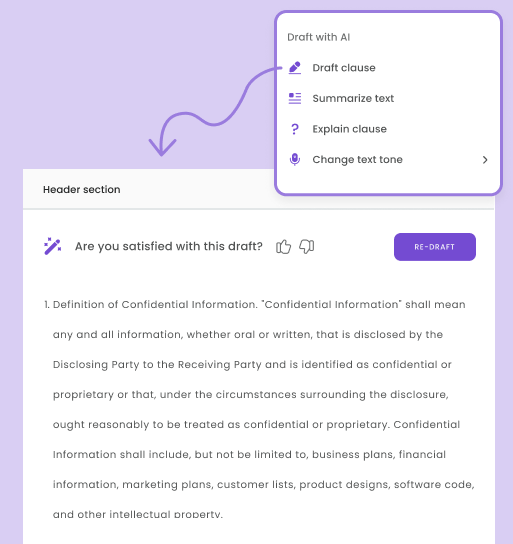
Sure, you could still register, but it was a subpar experience for everyone involved.
At DoxFlowy, we pride ourselves on creating beautiful and useful software. If our registration page sucks, by default, everything else sucks too. We couldn’t have that.
We’ve gone in and ensured the registration page looks the way it should when you try to register for DoxFlowy.
Branding bugs in emails
In September, we launched the branding feature, and in October, we updated it to ensure that it worked as expected.
The recently launched full-fledged branding had a few growing pains. When users sent out an email that should carry their branding, the images would sometimes break.
That made our users look bad, which made them unhappy. That made us unhappy.
We went in and made sure that the situation would never occur again.
SSO button/display issues
SSO (single sign on) also had a few growing pains. This newly launched feature failed to display properly when some users tried to sign in.
It wouldn’t display properly and would sometimes be missing altogether. Users thought it made no sense. We agreed.
So, we went in and fixed it.
Conclusion
Over the last few months, we’ve been hard at work making DoxFlowy better. We’ve fixed, updated, and introduced countless things. Some of them are worth mentioning, and some are so small that it wouldn’t be worth writing the sentence or two it would take to describe them.
What I would like to convey with this post is that DoxFlowy is constantly evolving. Even if the changes aren’t obvious at first glance, know that we’re always working to provide you with everything you need to automate your documents.


