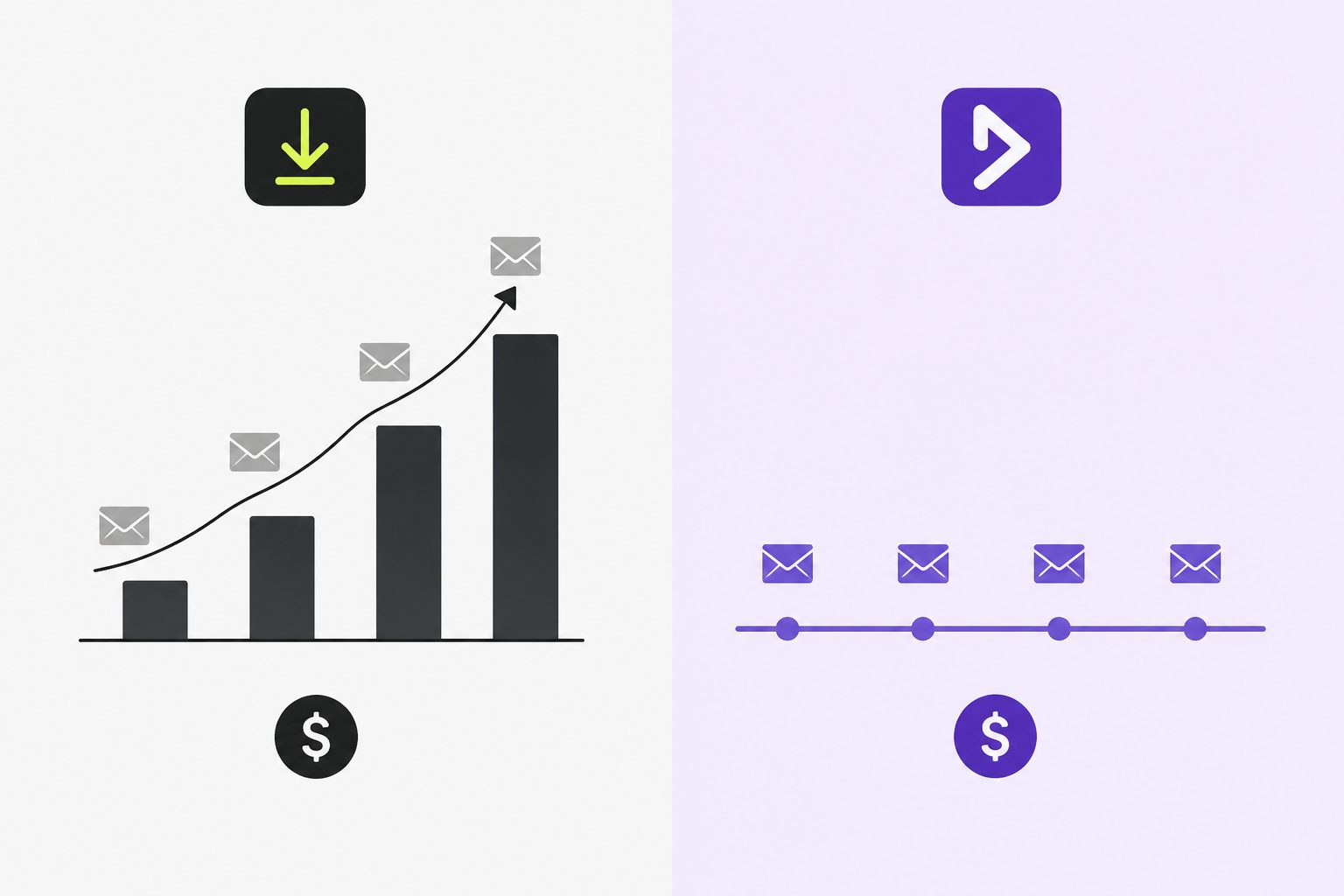
DocuSign is the most recognizable name in electronic signatures. For a lot of teams, it’s also the first unexpected line item on a finance review.
The envelope model makes DocuSign’s pricing look accessible at sign-up. The same model makes it expensive as soon as your team starts using it.
Our team looked into the nature of DocuSign’s pricing and charges to discover what could be inconvenient for teams starting out. We’ve spent time sitting through consumer complaints, articles, and DocuSign pages for this information.
This article breaks down how DocuSign’s envelope overage charges work and why they ultimately penalize your business for growing. It highlights why switching to flat-rate, unlimited alternatives like DoxFlowy is a smarter move before committing to a restrictive plan.
What is a DocuSign envelope?
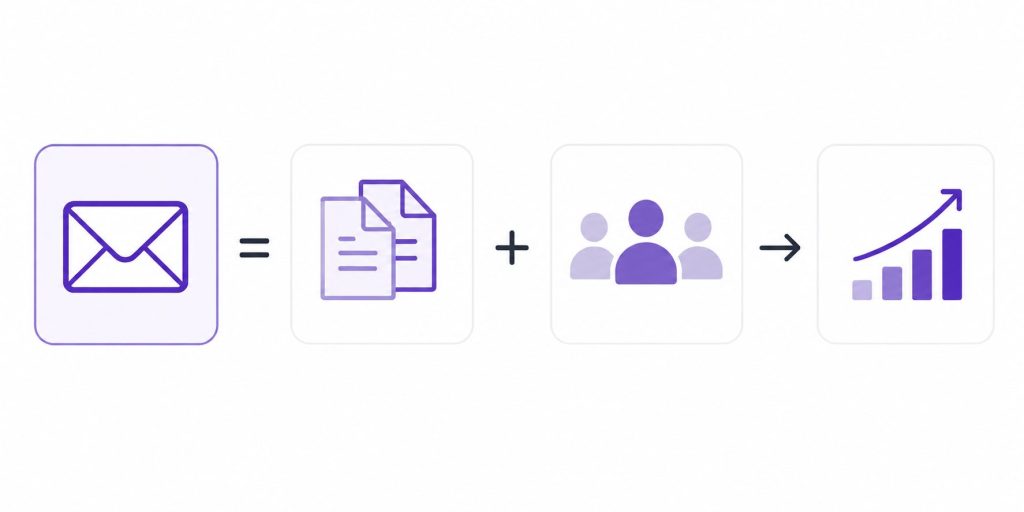
In DocuSign’s pricing model, an envelope is a single transaction sent for signature. While a single envelope can contain multiple documents and recipients, every individual send-out counts against your plan’s monthly or annual limit. High-volume senders can quickly exhaust their allowance and trigger unexpected overage fees.
This matters because most teams underestimate how quickly envelope usage adds up. A single hire generates multiple documents in the onboarding packet. That’s five envelopes before the person has started work.
Get rid of manual repetitive paperwork with robust document automation
LEARN MORE
A sales team closing ten deals a month, each requiring a proposal, a services agreement (or SLA), and a separate contract, burns through thirty envelopes. An HR team onboarding twenty people a quarter easily goes through a hundred envelopes or more just for standard paperwork. That total skyrockets even further when you factor in the inevitable documents that must be resent due to last-minute changes.
How DocuSign’s envelope limits work by plan
DocuSign’s pricing structure looks straightforward until you read the fine print.
The Personal plan costs $10 per month, billed annually (and $11/m billed monthly), and caps users at five envelopes per month. That’s sixty envelopes per year, which sounds manageable for a solo user until you factor in that a single onboarding cycle or a busy sales week can consume that in days.
The Standard plan at $25 per month per user, billed annually ($30/m billed monthly), raises the limit to ten envelopes per month per user, or one hundred per user per year on an annual subscription. For a small team of three, that’s three hundred envelopes per year shared across everyone. A moderately busy quarter can exhaust that.
The Business Pro plan at $40 per month per user, billed annually ($45/m billed monthly) maintains the same envelope limits as Standard while adding features like bulk sending and web forms, which ironically consume envelopes faster than the basic sending workflow.
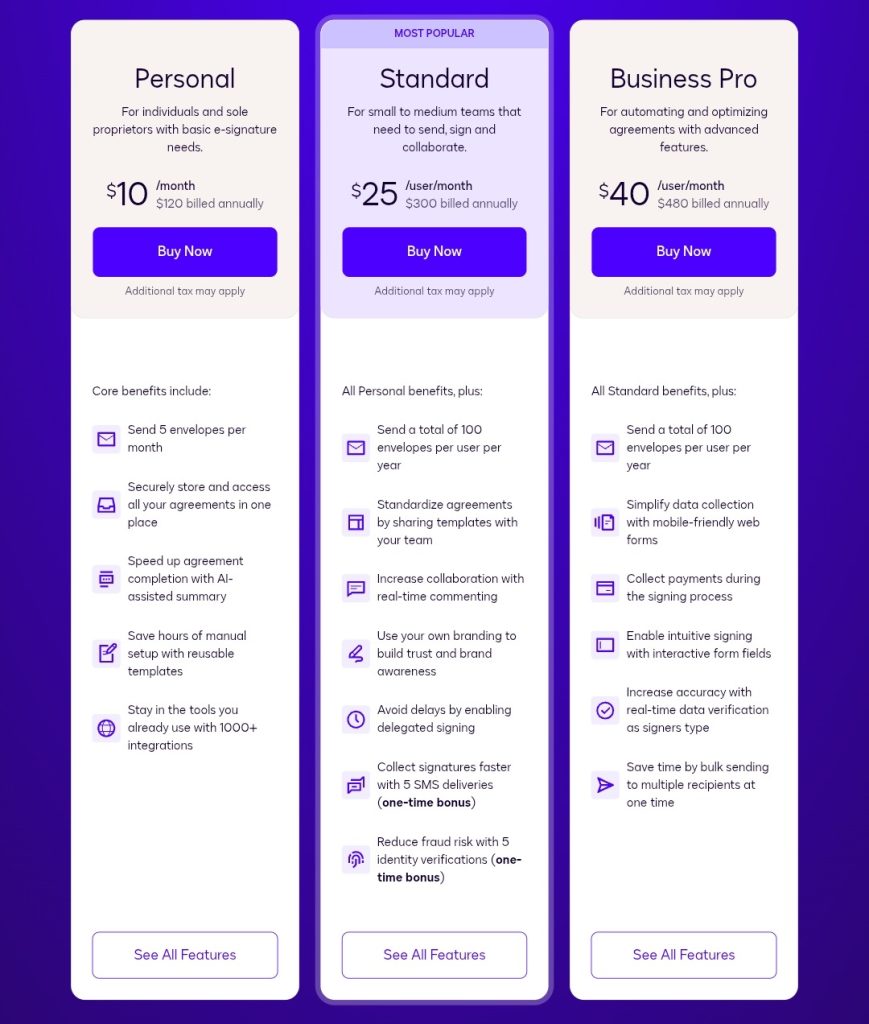
For API plans, the Starter tier at $600 per year allows approximately forty envelopes per month. The Intermediate tier at $3,600 per year allows one hundred per month (roughly $3 per envelope).
What happens when you exceed your envelope limit
When your team sends more envelopes than your plan allows, DocuSign charges overage fees on a per-envelope basis. These fees range from $3 to $8 per envelope, depending on your plan tier and whether you’ve pre-purchased overage capacity.
For Standard and Business Pro users, that means every envelope beyond the monthly cap costs between $3 and $8 on top of your subscription.
The timing makes this worse. Overage charges are calculated and billed retroactively at the end of the billing cycle. Your team doesn’t get a warning when they’re approaching the limit. They keep sending, and you find out what it costs when the invoice arrives.
For a team of five on Standard plans, hitting overage by thirty envelopes in a busy month at $5 per envelope adds $150 to that month’s bill. Over a year with quarterly peaks, that compounds into a significant unplanned expense that wasn’t part of any budget projection.
If you want to see what that kind of unplanned spending looks like against your real document volume, use the interactive calculator below.
DocuSign overage calculator
See what your envelope overage really costs.
Pick your plan, set your team size and monthly send volume. The math updates live.
subscription + overage $19,800 (incl. $1,800 overage)
The features that amplify overage risk
DocuSign's more advanced features are the ones most likely to accelerate envelope consumption. Bulk Send, available on Business Pro, allows you to send the same document to multiple recipients simultaneously.
Each recipient counts as a separate envelope. A company policy update that requires a signed acknowledgement, sent to fifty employees, consumes fifty envelopes in a single action.
Document and customer insights at your fingertips
LEARN MORE
PowerForms, which are documents embedded into websites for self-service signing, count toward the envelope quota every time someone completes one. A high-traffic form can exhaust a plan's monthly allocation in days without anyone on the team manually sending a single document.
DocuSign's enterprise plans don't fully solve the problem
The natural response to envelope limits is to upgrade to an enterprise plan, where limits can be negotiated or removed. DocuSign's Enhanced enterprise plans do offer custom envelope quotas, and overage rates can be negotiated down to $0.25 to $1 per envelope at sufficient volume.
The problem is how DocuSign structures enterprise pricing.
Unlike DoxFlowy, which includes everything from lower tiers in the enterprise plan, DocuSign removes certain features from the Business Pro plan at the enterprise level and lists them as purchasable line items.
Payment collection, signer attachments, and specific workflow features that come standard on Business Pro require a separate purchase on Enhanced plans. Teams effectively repurchase functionality they already had at lower tiers, at enterprise prices, on top of any custom envelope quota they've negotiated.
If you're concerned about usage limits and unexpected costs, it's worth exploring how DoxFlowy's pricing works before committing. DoxFlowy includes unlimited sign requests and never charges overage fees as your document volume grows, regardless of what plan you're on.
What DoxFlowy does differently
DoxFlowy operates on a flat-rate model with no envelope limits and no overage charges at any plan level. The Core plan at $20 per month per user includes unlimited sign requests alongside 15 custom document automation workflows. It also includes 150 documents created per month, which means you get up to 150 finalized PDFs or files from your templates each month.
The Team plan at $35 per month per user includes unlimited sign requests alongside 450 documents created per month and 30 custom document automation workflows. Enterprise plans offer custom document volumes and unlimited everything.
There are no per-envelope fees. There’s no retroactive billing surprise at the end of a busy month. A team closing twenty deals, onboarding fifteen new hires, and sending a company-wide policy update in the same month pays exactly what they expected to pay at the start of that month.
DoxFlowy also handles the full document workflow, not just the signing step. If you have repeatable document workflows, you can manage the entire process within the same platform.
First, you build dynamic templates and connect them directly to intake forms. Next, the platform automatically generates documents from form submissions and routes them through a defined signing sequence. Finally, the completed documents are stored with full audit trails.
Depending on your workload, you can expect to save an hour or two every day. Across a week, that’s 5-10 hours. Usually, when teams have 4-5 users on DoxFlowy, they save enough time to replace a full-time employee.
DocuSign handles the signature. DoxFlowy handles everything from the point at which a document needs to exist.
A direct cost comparison
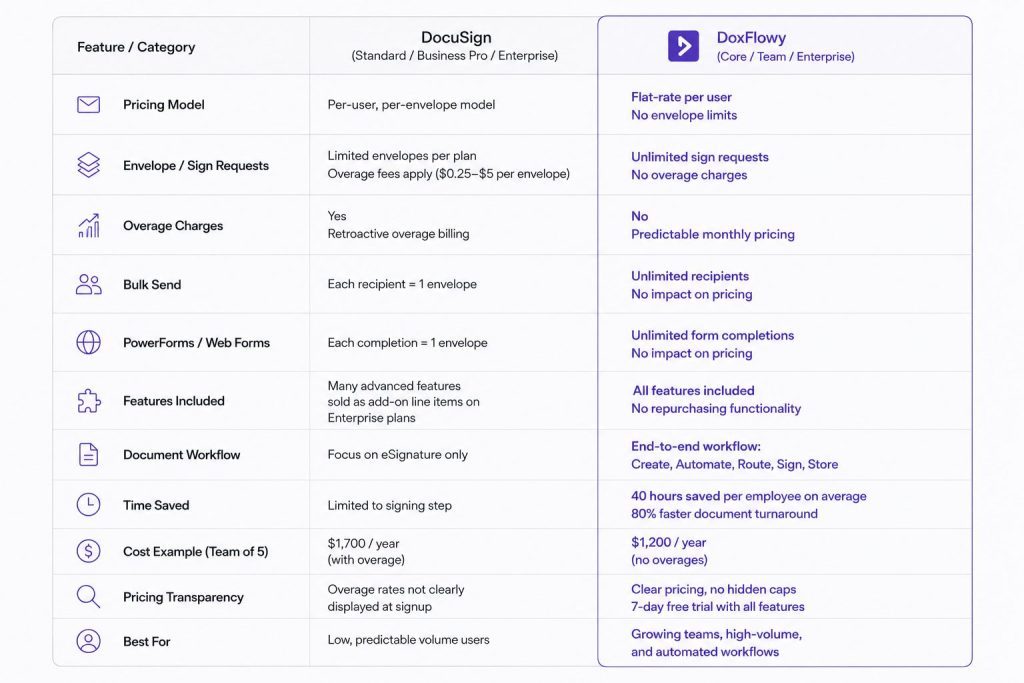
A team of five using DocuSign Standard at $25 per month per user pays $125 per month for a combined five hundred envelopes per year across the team. If you have two busy months per year where you exceed individual allocations by twenty envelopes each, that's $5 per envelope in overage charges. At $200 in overage annually, that's on top of the $1,500 base subscription. The annual cost is $1,700 for a team that barely exceeded its limits.
Take advantage of AI-powered document drafting to move 4X faster
LEARN MORE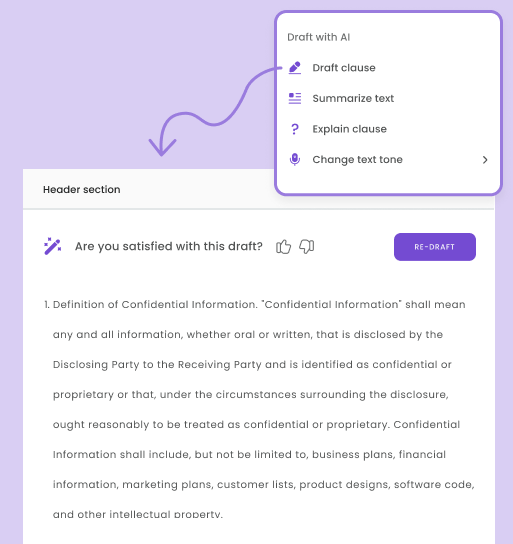
The same team of five on DoxFlowy Core at $20 per month per user pays $100 per month, $1,200 per year. There’s no envelope cap, no overage charges, and document automation is included. They send as many documents as their work requires without tracking usage or managing a budget line for potential overages.
The cost advantage compounds as team size and document volume grow. DocuSign's per-seat, per-envelope model scales costs in two directions simultaneously. DoxFlowy's flat model scales only with headcount.
The pricing transparency problem
DocuSign's envelope limits and overage rates are not prominently displayed during the signup process. Monthly limits are referenced in plan details, but the overage fee structure requires navigating support documentation to understand. Teams often discover the overage model after their first high-volume month when the invoice reflects charges they didn't anticipate.
DoxFlowy publishes its pricing and plan limits directly on the pricing page with no hidden caps on signing. The seven-day free trial includes access to all features, so you can test the full workflow before committing to a plan.
Who the envelope model works for and who it doesn't
DocuSign's envelope model is defensible for users with genuinely low and predictable document volume. A freelancer sending five contracts per month will stay within plan limits. The same goes for a small consultancy with stable engagement or a solo operator who signs occasionally. For those users, DocuSign is a reasonable choice.
Document volume often fluctuates with seasons, growth, or automated workflows triggering sends at scale. For teams in that position, the envelope model creates ongoing cost unpredictability.
HR teams scaling headcount and sales teams in growth phases face this risk often. So do operations teams automating generation and any business using bulk sending features. These groups consistently hit the overage cliff that DocuSign's model is built around.
The decision
DocuSign built its pricing model around the assumption that document volume is a measurable, controllable resource worth charging for. For teams that accept that framing, the model works, until it doesn't.
DoxFlowy starts from a different assumption. Sending documents is what the platform is for, and charging more when teams do it more often is not how the value should be structured. Instead, you get unlimited sending, flat pricing, full document automation, and no surprise invoices at the end of a busy month.
Start your free seven-day trial on DoxFlowy today and run your first full document workflow without watching an envelope counter.