

It’s update time again. Usually, we tell you about a handful of features we shipped over the past few weeks.
This one’s different.
DoxFlowy v2.0 is the largest release in our history. We rebuilt big parts of the app, added enterprise-grade security, and shipped a brand-new PDF workflow editor.
Is it a lot to cover in one post?
Yes. So we won’t try to cram everything in here.
Instead, this is your map. We’ll walk through the headline features, then point you to deeper breakdowns for the ones that deserve their own post. Grab a coffee and let’s dig in.
What changed, in one breath
We moved DoxFlowy from a great electronic signature and document automation tool toward a full document lifecycle management (CLM) platform. That means tighter team controls, richer workflows, and a cleaner experience end to end.
Get rid of manual repetitive paperwork with robust document automation
LEARN MORE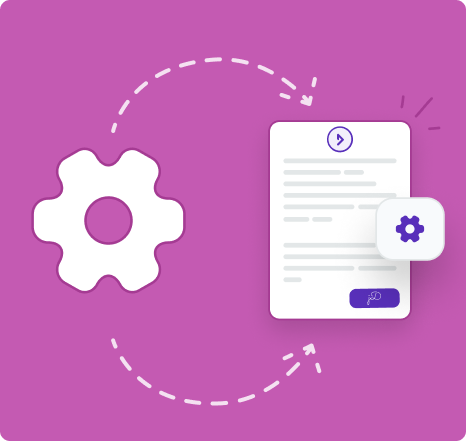
Here’s the short version of what’s new:
- A full PDF workflow editor
- Updated enterprise team management and security
- Multi-document workflows with bundled downloads
- A unified folder and sharing system
- A robust template marketplace
- A redesigned app, from the dashboard to the form your recipients fill out
Now the longer version.
New features
A brand-new PDF workflow editor
This is the headliner. You can now build document workflows directly on top of a PDF.
Previously, you could only use Word documents or draft a document from scratch within DoxFlowy. Even if you uploaded a PDF document, it would be converted to our document format.
Now, you can work directly with your PDFS.
Add text formatting, checkboxes, and image annotations. Place fields exactly where you want them with precise coordinates. Layer in conditional logic and tags so the document reacts to what people fill in.
In other words, your PDFs are no longer static. They’re smart, fillable workflows.
There’s a lot here, so we gave it its own home. Read the full PDF workflow editor breakdown.
Updated enterprise team management and security
We’ve been quietly building out and hardening enterprise functionality, and this update is the culmination of a lot of hard work.
We previously had enterprise team management, but it was basic and didn’t truly encompass the level of control you may have needed or wanted.
We’ve expanded the ability to make custom team roles.
We added role-based access control (RBAC) with 27 granular permissions and four organization roles: owner, admin, editor, and viewer. So everyone gets exactly the access they need, and nothing they don’t.
This is especially true if compliance is big in your industry and you practice the Principle of Lease Privilege (PoLP) AKA zero trust security.
On the security side, we shipped SAML single sign-on (SSO), SCIM provisioning for automatic user management, two-factor authentication (2FA), IP allowlisting, session management, API token management, password policies, and audit logging.
That’s a serious upgrade, and security is one area we never get cute about. See everything in the enterprise security post.
Multi-document workflows and ZIP download
Real agreements rarely travel alone. A new hire might sign an offer letter, an NDA, and a tax form in one go.
Previously, those were all separate workflows.
They worked, of course, but it may have forced you to put in too much effort. So, we’ve increased the automation surface to allow you to better fit in document automation into your current workflows.
Automation workflows can now include multiple documents in a single package. When everything’s complete, you can download the whole set as one ZIP file.
No more chasing four separate documents across four separate emails. Here’s how multi-document workflows work.
A unified folder system
Your files finally have a tidy home. We rebuilt folders from the ground up.
You get sub-folders, so you can nest things the way your brain works. Things can be logically associated with other things. Everything for HR can go into one folder, then you can separate out things like leave requests, onboarding paperwork, tax paperwork, and more.
Document and customer insights at your fingertips
LEARN MORE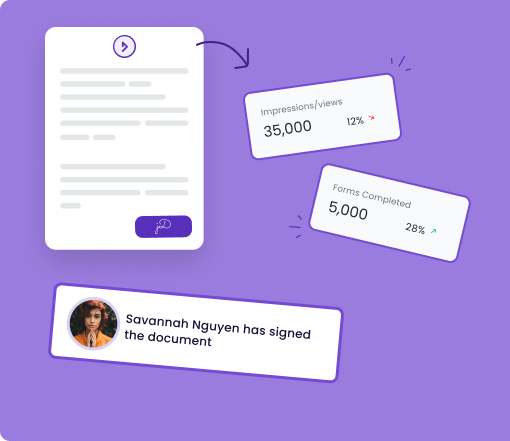
You can mix content types in one place, with both documents and eSign requests living side by side. And you can share folders with teammates.
When sharing with your teammates, you can set permissions. Some people may only require view-only permission, while others may be collaborators.
That’s taken care of in the new update.
Deletion is now tied to ownership, so the right people stay in control. Read more about the unified folder system.
A brand new template marketplace
Starting from a blank page is overrated. In fact, it can be discouraging. Especially if you don’t have a lawyer on call to draft documents for you. We’ve introduced a new template marketplace.
Browse, preview, and use templates without guesswork. Of course, the templates are categorized and searchable to make it easy to find what you need.
We’re regularly adding new templates to the marketplace, so the library is constantly growing. Access is gated by plan, so you always know what’s available to you.
It’s the fastest way to go from “I need a contract” to “the contract is ready to send out.”
Workflow tags that don’t clutter your tag list
Tags are how you turn a static document into a fillable one. Until now, you had two kinds: default tags we provide, and custom tags you create.
Custom tags have one catch. They live in your personal tag library, so every custom tag you’ve ever made shows up as an option in every workflow you build. Create a handful per workflow, and that list gets long fast.
Workflow tags fix that. Now you choose the scope. Keep custom tags for the ones you’ll reuse across documents, and use workflow tags for the ones that only matter inside a single workflow.
The payoff is a tag picker that stays clean and relevant, no matter how many workflows you create. Workflow tags also plug straight into conditional logic in the new PDF editor.
Read the full breakdown of workflow tags.
A redesigned DoxFlowy
We didn’t just add features. We rethought how the app feels to use every day.
The new Command Center dashboard surfaces what needs your attention right now, with cards for documents awaiting your signature, items to review, requests in flight, and anything that needs action. The eSignature analytics give you trends at a glance over the last 7, 30, or 90 days.
The document workflow analytics page is a full redesign too. You get funnel metrics, time-to-complete, per-question response distributions, and dedicated tabs for generated documents, signed documents (if applicable) and recipient history.
We also redesigned the experience your recipients see. The new form flow adds a consent splash page, an instructions page, a cleaner step-by-step layout with inline validation, and a review step before anyone hits submit. Take the full tour of the redesign.
A few more new arrivals
Not every new feature needs a thousand words, but these are worth knowing about.
First up, we’ve added expanded conditional logic baked into the workflow document editor.
Take advantage of AI-powered document drafting to move 4X faster
LEARN MORE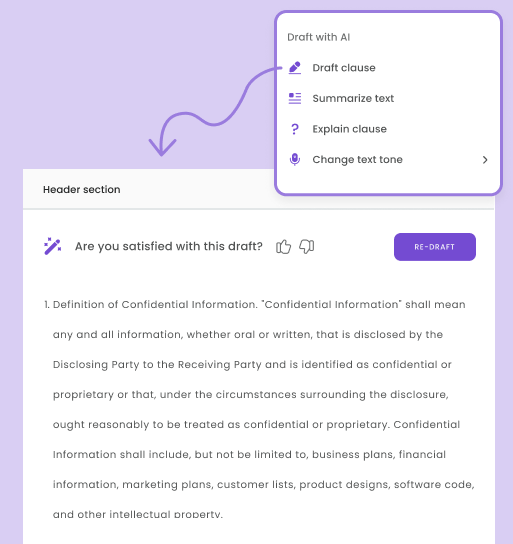
For enterprise teams, admins can set organization-level workflow quotas to control how many workflows get created by each user. Power users get more, occasional users get less.
We added form resubmission and submission review, so you can send something back for another pass.
On the data side, you can now export workflow form summaries to comma-separated values (CSV) for your reporting.
Improvements
Big releases live or die on the small stuff, so we sweated the details.
We tightened up subscription status indicators, seat lookups, and the billing gate. We cleaned up the settings layout and the review-and-send folder picker. We improved the sign-order drag indicator so it’s easier to see what you’re moving.
We also polished the document formatting toolbar, fixed table-of-contents scrolling and tag highlighting, and improved how organizations resolve during email sign-in. Behind the scenes, our logging got smarter with rate limiting and better context.
Bug fixes
We caught a long list of bugs this cycle and squashed them without mercy.
The biggest cleanup happened around workflow tags. We fixed tag duplication, rename, and revert issues across multi-document workflows, display-name handling, and a handful of stubborn rendering glitches in the editor.
Renamed tags now show their display name, sync across documents, and stop creating duplicate placeholders in generated files. We also protected the signature tag from renaming, since that was quietly breaking the eSign flow.
Elsewhere, we fixed a login breakage, an editor crash when typing square brackets, folder loading and select-all, PDF field naming, form conditional compound conditions, and a team-isolation bug where some users could see each other’s workflows.
We also moved editor draft storage to a more reliable system, so large documents don’t lose work.
That’s the short list. The full one is much longer, but you get the idea.
What’s next
v2.0.0 is a foundation, not a finish line. We built it so we can keep layering on deeper automation, richer analytics, and a more complete document lifecycle management experience in the months ahead.
We’re proud of this one. We hope it makes your workday a little lighter.
Want to see it in action? Start a free trial or book a quick demo, and put the new DoxFlowy to work today.


