


It’s that time of the month again. You know, the one where we tell you exactly what we’ve been up to for the past few weeks and how we’re improving DoxFlowy.
As you know, we’re always working hard to make DoxFlowy better, faster, and more complete.
Is it easy?
No.
We consider it a labor of love for you and for ourselves.
Get rid of manual repetitive paperwork with robust document automation
LEARN MORE
We’ve sent a few highly-requested features live over the past few weeks, made some improvements, and killed some bugs.
Let’s dive in and take a look at what exactly has happened.
New features
We’ve quietly sent a few features live and are preparing our user interface for the massive changes that are to come in the future.
Here are some of the changes and features we’ve added to make these changes easier for you to adapt to.
Document type management
Not all documents are created equally. You have contractor agreements, employment agreements, non-disclosure agreements, and a wide range of other documents.
We’ve introduced the document type categorization to DoxFlowy. Now, administrators can create a collection of document types. These document types are then made available to everyone within the organization and they can categorize individual documents.
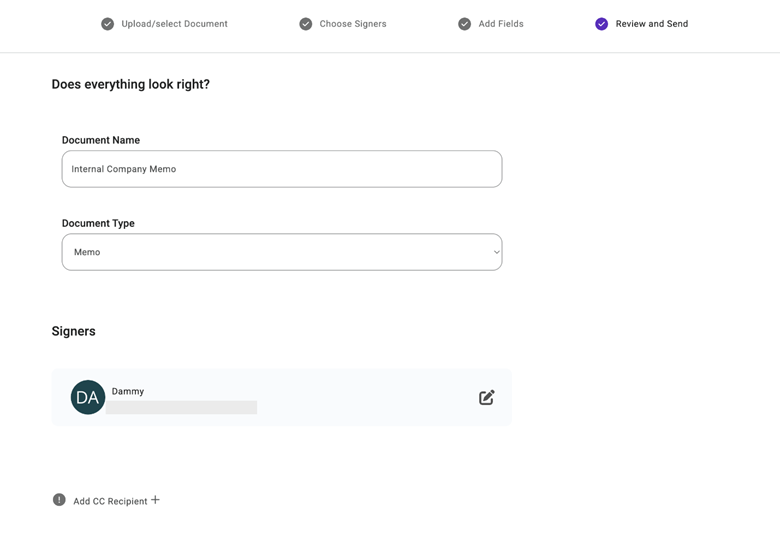
Once a document has been categorized within DoxFlowy, it allows you to easily search and filter using more robust criteria. Instead of trying to remember the name of the agreement or some obscure information related to it, you’re able to filter based on the known category.
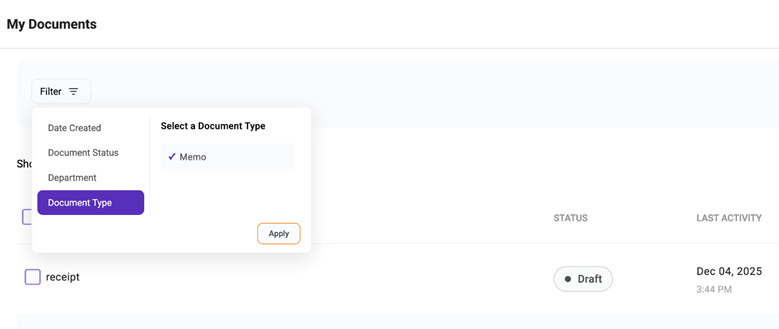
The document category is also the foundation of the metadata management we’ll be introducing in the coming weeks. Metadata, the way we envision it, will be fully customizable and extremely robust.
We’re moving beyond just a compliant electronic signature system and into a fully fledged contract lifecycle management suite.
Signer reassignment
There are times when an agreement needs to be signed but it doesn’t require your direct attention. Usually, the person sending the sign request will need to be aware of your information or the information of the person you want to delegate the signing to EG name and email address.
With signer reassignment, that’s no longer necessary. Someone that’s creating a sign request only needs to send the document to be signed to you or someone else on your team. Once you get it, the document can be rerouted to someone else.
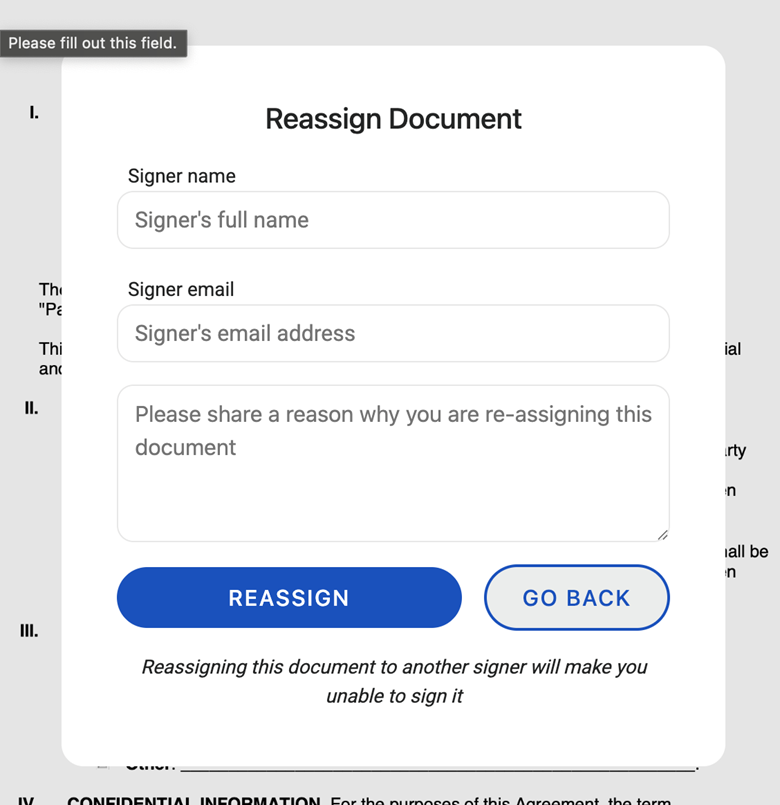
When documents are reassigned, that action appears in the audit trail when the document is completed.
In other words, you can delegate signing authority to other people within and outside of your DoxFlowy organization.
Document restart
Within DoxFlowy, sign requests can be canceled by the originator and they can also be declined by the recipient signatory.
When someone declines to sign, they’re asked to provide a reason. In most cases, there’s some kind of mistake in the document.
Instead of having to start the entire process from scratch, you can now restart the sign process that was declined or canceled for whatever reason.
Document and customer insights at your fingertips
LEARN MORE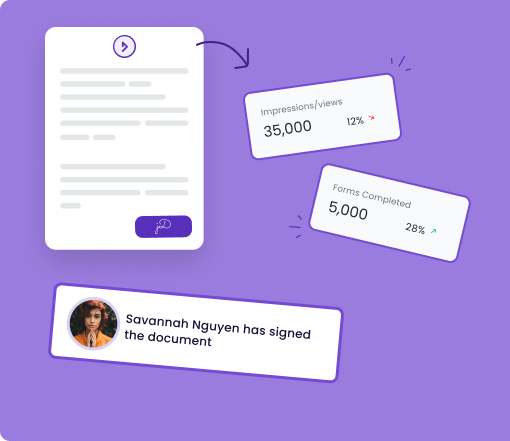
The majority of your original settings will be maintained and you’ll just need to make minor tweaks before resending the document for signing.
This will save you a considerable amount of time.
DOCX support
When uploading documents for signing, we previously only supported direct PDF uploads. This was for various reasons including the fact that other file format types would subtly shift formatting when converted to PDF.
We’ve gone back and revisited converting files from one format to another and have a solid solution that creates little to no formatting discrepancies.
As a result, you can now save DOCX files to start sign requests.
Updates/improvements
In addition to new features, we’ve been maintaining and enhancing existing features. Obviously, we wouldn’t neglect what brought us here.
Deletion controls
In the past, it was easy to delete documents. A bit too easy. It was possible to accidentally delete agreements by accidentally clicking the button or when they were within the sign process.
We’ve updated how DoxFlowy handles deleting agreements. Both completed agreements and those that haven’t been completed.
Now, if there’s an active sign request, you’ll first need to cancel the sign request. Once canceled, you can then proceed to delete. Additionally, there’s more friction when deleting the sign request so it can’t happen accidentally.
AI drafting
We’ve had AI drafting for a long time and its been helpful to almost everyone that uses it. There was one flaw. Occasionally, when the AI would start hallucinating, there would be no clear error.
What did that mean for the user?
The AI drafting just didn’t work.
We’ve gone in and updated the way it works and handles errors. That means if there’s an issue, you’ll be aware and you won’t be left staring at a blank screen, waiting for it to do something.
Take advantage of AI-powered document drafting to move 4X faster
LEARN MORE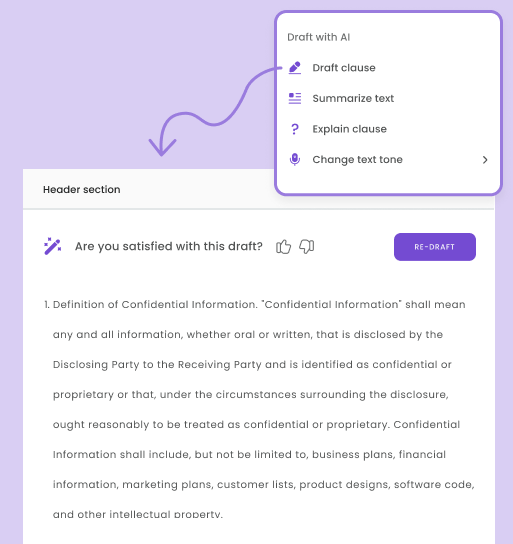
Mobile stamps
We implemented stamps over the last few months. They’ve been well received. Unfortunately, there was a little snafu related to using stamps on the mobile signing interface.
We’ve sorted out the issue, and stamps now work seamlessly on both mobile and desktop.
Signature background removal
Uploaded signatures now go through automatic cleanup. The system removes backgrounds, enhances contrast, and optimizes the image so your signature looks clean and professional on every document.
This will save you time when you want to upload a true-to-life signature. You won’t have to use a third-party tool to strip the background and enhance the visibility of the signature.
Bug Fixes
We caught a few bugs in November and eliminated them with prejudice. Here’s a non-exhaustive list of the bugs we squashed.
Google Drive integration
The Google Drive update was both a bug fix and an update. The file picker is more reliable, token refresh issues have been fixed, and the integration now works smoothly for both regular documents and e-sign workflows.
This is just a quick list of the bugs that we fixed. They’re relatively minor, so there’s no need to go into too much detail for each one.
- Fixed activity log PDF timestamps that were overflowing
- Resolved sign tool issues in settings
- Fixed mobile signature scaling problems
- Corrected user token refresh bugs
- Fixed email notifications for declined documents
- Resolved document naming issues with special characters
Conclusion
As you can see from our update, we’re constantly making incremental changes and product updates to DoxFlowy. We’re planning on finishing out the year strong.
This month and next year have many good things in store.
We’re expanding the document automation capabilities, our integration ecosystem, and evolving DoxFlowy Sign into a fully fledged CLM solution.
Exciting times ahead.


